What?
This is an article about a Zoho Billing custom function that would call a CRM function but not complete it when a new invoice was created. The same function existed in Zoho Books which would work.
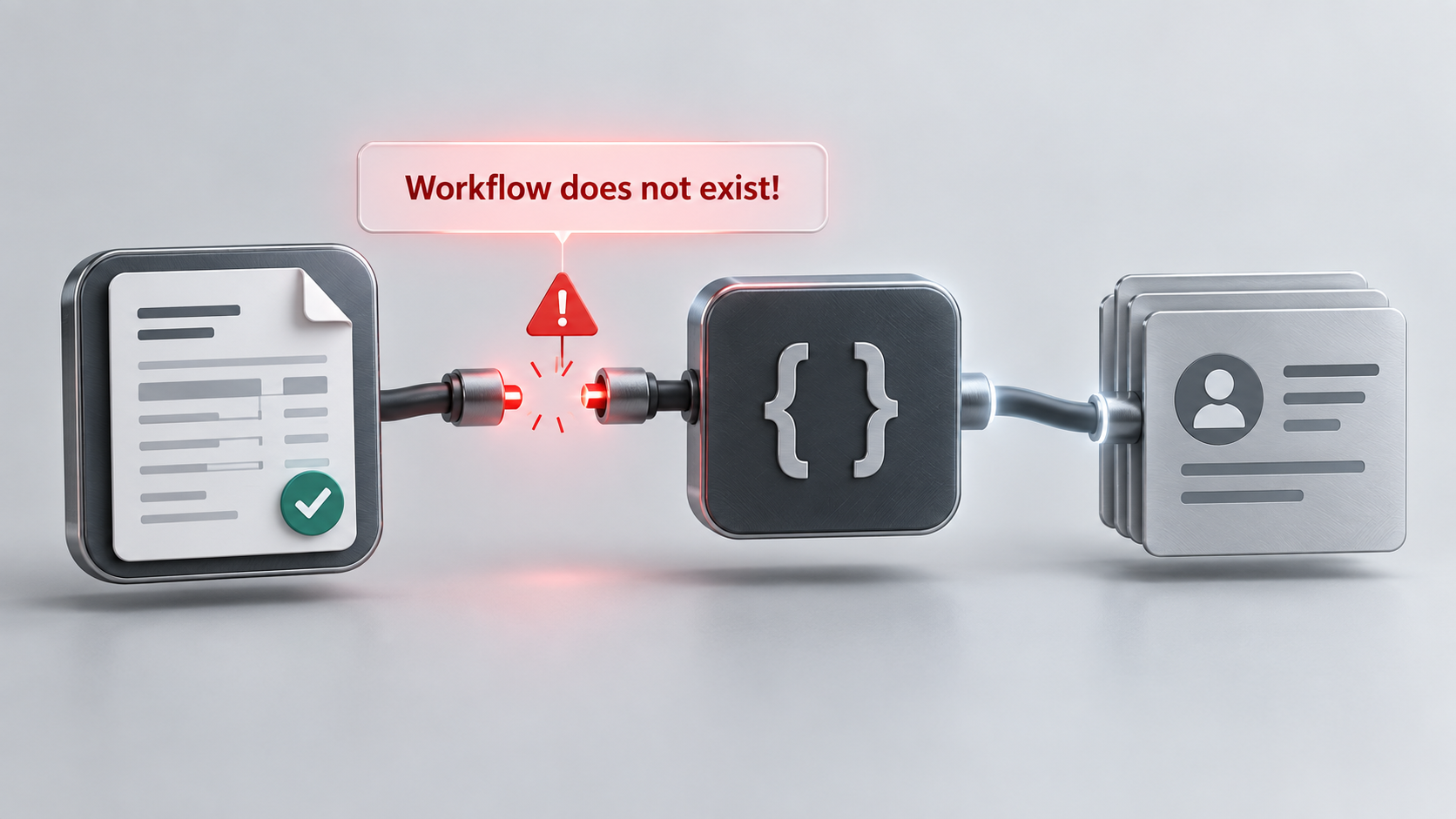
The custom function was configured with the Invoice Created trigger. However, accessing the function via the workflow logs (required executing it once, then clicking on it in the logs) displayed the following message:
Workflow does not exist!
Invoices continued to be created successfully in Zoho Billing, but the expected record was not being added to a custom queue module in Zoho CRM.(this is a queuing system to send over 5000 invoices from Zoho Books per day).
The same integration route worked when an invoice was processed through a corresponding Zoho Books function. Running the Zoho Billing function manually also created the CRM queue record successfully. This indicated that the Deluge code, CRM API function and downstream queue function were all operational.
Why?
Zoho Books and Zoho Billing configure this type of automation differently.
- In Zoho Books, the workflow rule and custom function are configured separately. The custom function is selected as an action of the workflow.
- In Zoho Billing, the events selected against the custom function determine when that function runs. For example, selecting Invoice Created makes the function itself respond to that event.
In this case, the existing Zoho Billing function showed that Invoice Created had been selected, but Zoho Billing also reported that no workflow existed. So its a bug: maybe the function was created before the renaming of Zoho Subscriptions to Zoho Books or before a change in the APIs; somewhere along the way it got corrupted.
The original automation followed this route:
Zoho Billing invoice created
    -> Expected custom function did not run
    -> No request was sent to Zoho CRM
    -> No CRM queue record was created
It is important to distinguish this from a failure inside the function. A manual execution returned a successful CRM response containing a newly created queue record ID. The response was similar to the following anonymised example:
{
    "code": "success",
    "details": {
        "output": "{\"create\":{\"id\":\"<CRM_QUEUE_RECORD_ID>\"}}"
    }
}
This proved that:
- The Zoho Billing function could execute.
- The request could reach the CRM API function.
- The CRM function could read and transform the invoice payload.
- The downstream function could create the CRM queue record.
A message such as Use Existing Batch! in the execution output was only an informational log from the CRM function. It confirmed that an existing processing batch had been selected and was not the cause of the missing record.
The remaining failure point was the automatic event binding in Zoho Billing. The old function's trigger registration had evidently become detached or invalid even though the Invoice Created option still appeared selected.
How?
1. Confirm that the function works manually
Before changing the function, execute it manually using a suitable test invoice. Check the response from the receiving application rather than relying only on a generic success message.
A simplified and anonymised sender function may resemble the following:
m_Parameters = Map();
m_Parameters.put("application","Subscriptions");
m_Parameters.put("organization_id",organization.get("organization_id"));
m_Parameters.put("transaction_type","invoice");
m_Parameters.put("transaction_data",invoice);

v_CrmApiUrl = "https://www.zohoapis.<data-centre>/crm/v2/functions/"
    + "<crm_api_function>/actions/execute"
    + "?auth_type=apikey"
    + "&zapikey=<REDACTED_API_KEY>";

r_Response = invokeurl
[
    url :v_CrmApiUrl
    type :POST
    parameters:m_Parameters.toString()
    content-type:"application/json;charset=utf-8"
];

info r_Response;
Do not publish the real API key, organisation ID, customer details, invoice data or record IDs. Production logging should also avoid retaining complete customer and invoice payloads unless they are required for a controlled diagnostic process.
If the manual execution creates the expected CRM record, rewriting the receiving CRM functions is unlikely to resolve the automatic trigger problem.
2. Check the function's trigger status
Open the custom function in Zoho Billing and review its configured events. In this example, the function had Invoice Created selected but also displayed Workflow does not exist!.
That combination was the indicator that the saved function and its internal trigger registration no longer agreed.
3. Deactivate the old function
Deactivate the affected function rather than immediately deleting it. This preserves the original code and configuration for comparison and prevents two versions from running if the old trigger later becomes active again.
Renaming it with a prefix such as DEPRECATED - can make its status clear to other administrators.
4. Create a new Zoho Billing function
Create a new custom function in Zoho Billing and:
- Give the new function a distinct name.
- Select the Invoice module.
- Select the Invoice Created event.
- Copy the Deluge code from the deactivated function.
- Save and activate the new function.
Creating a replacement function causes Zoho Billing to create a new event registration instead of continuing to use the metadata attached to the original function.
5. Test with a newly created invoice
Create a new test invoice through the same route used by the live process. Do not rely solely on the function's manual execution option because that bypasses the event being tested.
The corrected route should now be:
Zoho Billing invoice created
    -> New custom function triggered
    -> Invoice payload sent to Zoho CRM
    -> CRM queue record created
Check the following values during the test:
- The Zoho Billing invoice number and invoice ID.
- The execution time of the new Billing function.
- The response returned by the CRM API function.
- The ID and creation time of the resulting CRM queue record.
In this case, the newly created function ran when the invoice was created and immediately added the expected record to the CRM queue. The Deluge code was unchanged. Recreating the function and its Invoice Created trigger resolved the problem.
Additional checks
If recreating the function does not resolve the issue, check:
- Whether the replacement function is active.
- Whether Invoice Created was selected before the function was saved.
- Whether the invoice was genuinely created after activation rather than imported or edited.
- Whether the function execution history contains an entry for the invoice.
- Whether the CRM response contains a created record ID or a validation error.
- Whether another active function could create a duplicate queue record.
Where a manual execution succeeds but no automatic execution is logged, concentrate the investigation on the Zoho Billing trigger. Where the automatic execution is logged but no CRM record is created, inspect the function response and the downstream CRM logic instead.
Discussion
Comments
Questions, corrections and useful additions are reviewed before appearing here.
Discussion Newest first
No comments yet. Start the discussion.