What?
This is a quick article to document an interim replacement for Zoho Desk’s built-in round-robin ticket assignment using a custom Deluge function.
When a ticket is created, the function assigns it to an eligible agent with the fewest outstanding tickets in the same department. It excludes specified email addresses using a list, which is useful for managers, administrators or other agents who should not receive new tickets.
For this example, outstanding workload means open tickets plus on-hold tickets. Closed tickets are not included. Agents tied for the lowest workload are selected at random, so the function balances the current workload rather than maintaining a fixed rotation.
Why?
In the Desk setup I was working on, the built-in round-robin was not assigning tickets as expected. New tickets still needed an owner while that issue was being investigated, and allocating them manually was adding another task for the team.
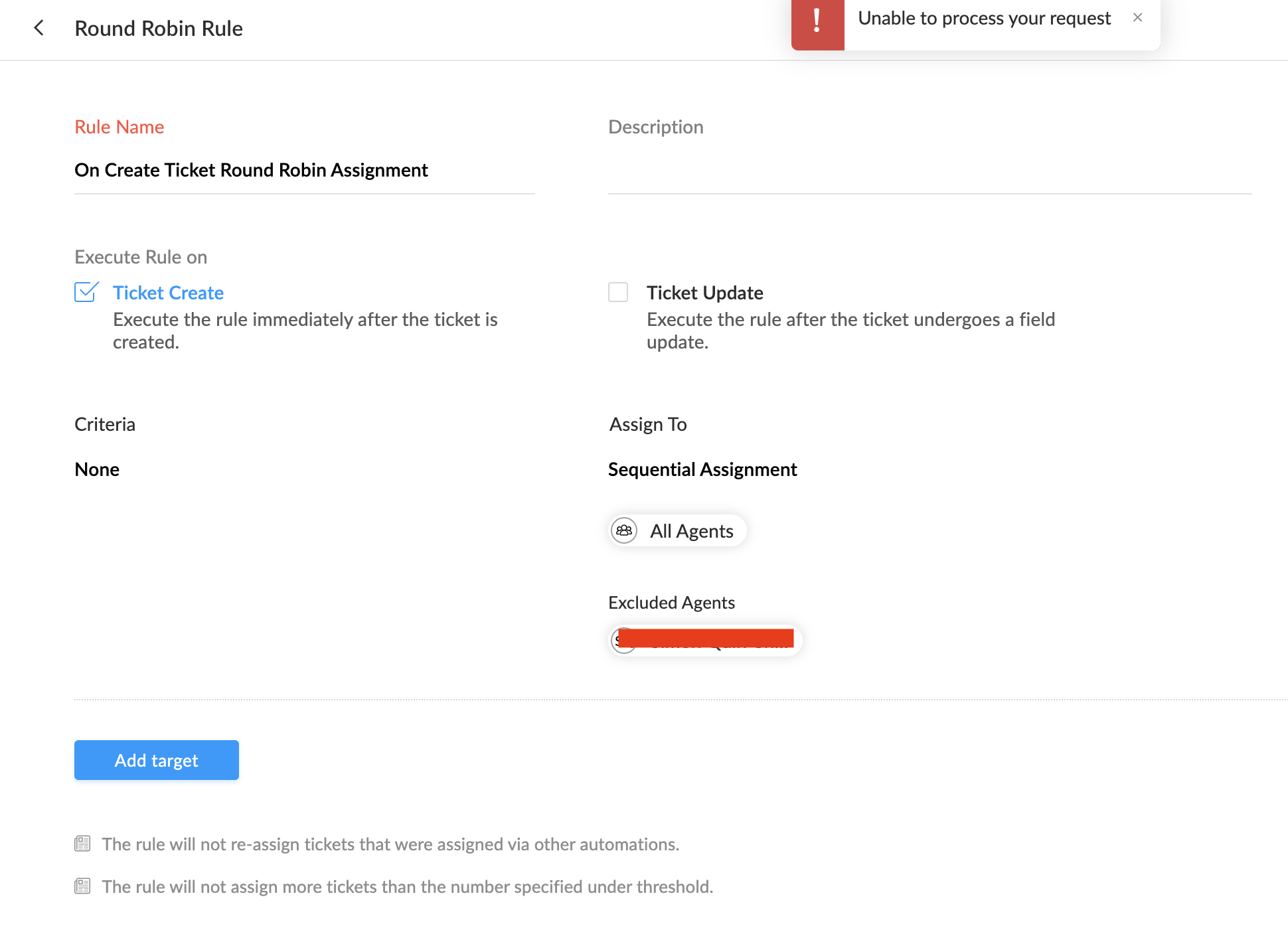
The interim requirement was straightforward: check the workload of active agents, leave certain people out of the allocation, and assign the ticket to someone who has fewer outstanding tickets. Keeping the exclusions in a list also avoids changing the selection logic whenever another address needs to be excluded.
This documents a workaround for that situation, rather than a diagnosis of the built-in assignment behaviour.
How?
The workflow runs on ticket creation and passes the ticket’s internal ID to fn_Ticket_AssignLeastLoadedAgent. The function retrieves the department, filters its agents, compares their ticket counts and updates assigneeId.
1. Prepare the organisation ID and connection
In Desk, open Setup → Developer Space → API and copy the Org ID. Keep it available for the v_OrgID setting in the function. [1]
For authentication, open Setup → Developer Space → Connections → Create Connection. Select Zoho Desk, enter a name and use desk_connection as the connection link name. Select the scopes below, then choose Create and Connect and authorise the connection. An existing connection with the same access can also be used. [2]
| Scope | Used for |
|---|---|
Desk.basic.READ | Basic Desk access used by the agent endpoint |
Desk.agents.READ | Reading eligible agents |
Desk.tickets.READ | Reading the ticket and agent workload counts |
Desk.tickets.UPDATE | Updating the ticket owner |
The connection’s authorised user must have access to the relevant department, agents and tickets. OAuth scopes do not grant permissions that the user does not already have.
2. Create the ticket workflow
Go to Setup → Automation → Workflows, select the department and click Create Rule. Enter the following values, then click Next. [3]
| Setting | Value |
|---|---|
| Module | Tickets |
| Rule Name | wkflw_Tickets_AssignLeastLoadedAgent |
| Description | Interim assignment of new tickets to the eligible agent with the lowest outstanding workload. |
| Active | Leave unticked while preparing the function; activate for a controlled test afterwards. |
3. Select the creation trigger and criteria
Under Execute on, select Create only and click Next. Leave the other triggers unticked so an owner update does not repeatedly reallocate the ticket.
Leave the criteria empty to cover all newly created tickets in this workflow’s department, or add filters to limit the intended scope. Click Next. The function will replace an existing default owner when another agent is selected, so restrict the rule if some tickets require a fixed owner.
4. Add a new custom function
Under Actions, click the add icon and choose Custom Functions → New. If that option is unavailable, create it under Setup → Automation → Workflows → Custom Functions → New Functions, then associate it using Existing. [4]
Enter these details:
| Setting | Value |
|---|---|
| Function name | Assign Ticket to the least-loaded agent |
| Method Name | fn_Ticket_AssignLeastLoadedAgent |
| Module | Tickets |
| Argument Name | p_TicketID |
| Argument value | Select the ticket’s Ticket ID placeholder. |
Map the internal Ticket ID, not the customer-facing Ticket Number. The input name must match p_TicketID in the script.
5. Paste the function
Paste the following body into the Function Script editor. The method name and argument are configured in Desk, so no CRM-style function declaration is needed.
/* *******************************************************************************
Function:       fn_Ticket_AssignLeastLoadedAgent
Label:          Assign Ticket to the agent with the lowest workload
Trigger:        Ticket creation workflow
Purpose:        Interim assignment to an active, confirmed, non-light agent
                in the ticket's department, excluding configured email addresses.
Input:          p_TicketID, mapped to the Desk Ticket ID (not Ticket Number)
Workload:       Open tickets plus on-hold tickets in the same department.
Tie-break:      Random selection between agents sharing the lowest count.
Connection:     desk_connection
Author:         Joel Lipman
Date Created:   2026-11-04
Notes:          Paste this body into the Zoho Desk function editor.
                Stops if 200 agents are returned or any eligible count is missing.
                Uses conditional blocks without bare return statements.
******************************************************************************* */
try
{
	//
	// Configuration: use your own organisation ID, API domain and connection
	v_OrgID = "YOUR_DESK_ORG_ID";
	v_ApiBase = "https://desk.zoho.eu/api/v1";
	l_ExcludedEmails = List();
	l_ExcludedEmails.add("manager@example.com");
	l_ExcludedEmails.add("administrator@example.com");
	//
	// Normalise exclusions so email comparisons ignore case and surrounding spaces
	l_NormalisedExcludedEmails = List();
	for each v_ExcludedEmail in l_ExcludedEmails
	{
		if(!isNull(v_ExcludedEmail))
		{
			l_NormalisedExcludedEmails.add(v_ExcludedEmail.toString().trim().toLowerCase());
		}
	}
	v_CanContinue = true;
	v_Message = "";
	v_TicketID = ifnull(p_TicketID,"").toString().trim();
	if(v_TicketID == "")
	{
		v_CanContinue = false;
		v_Message = "Assignment stopped: no Ticket ID supplied.";
	}
	m_Headers = Map();
	m_Headers.put("orgId",v_OrgID);
	m_Headers.put("Content-Type","application/json");
	//
	// Retrieve the ticket and its department
	if(v_CanContinue)
	{
		r_Ticket = invokeurl
		[
			url :v_ApiBase + "/tickets/" + v_TicketID
			type :GET
			headers:m_Headers
			connection:"desk_connection"
		];
		if(isNull(r_Ticket.get("id")) || isNull(r_Ticket.get("departmentId")))
		{
			v_CanContinue = false;
			v_Message = "Assignment stopped: ticket could not be retrieved. " + r_Ticket;
		}
		else
		{
			v_DepartmentID = r_Ticket.get("departmentId").toString();
			v_CurrentAgentID = ifnull(r_Ticket.get("assigneeId"),"").toString();
			v_StatusType = ifnull(r_Ticket.get("statusType"),"").toString().toLowerCase();
		}
	}
	//
	// Retrieve eligible agents from the ticket's department
	l_AgentIDs = List();
	if(v_CanContinue)
	{
		m_AgentParams = Map();
		m_AgentParams.put("from",0);
		m_AgentParams.put("limit",200);
		m_AgentParams.put("status","ACTIVE");
		m_AgentParams.put("isConfirmed",true);
		m_AgentParams.put("isLightAgent",false);
		r_Agents = invokeurl
		[
			url :v_ApiBase + "/departments/" + v_DepartmentID + "/agents"
			type :GET
			parameters:m_AgentParams
			headers:m_Headers
			connection:"desk_connection"
		];
		if(isNull(r_Agents.get("data")))
		{
			v_CanContinue = false;
			v_Message = "Assignment stopped: agents could not be retrieved. " + r_Agents;
		}
		else
		{
			l_Agents = r_Agents.get("data");
			if(l_Agents.size() == 200)
			{
				v_CanContinue = false;
				v_Message = "Assignment stopped: agent pagination is required for this department.";
			}
			else
			{
				for each m_Agent in l_Agents
				{
					v_AgentEmail = ifnull(m_Agent.get("emailId"),"").toString().trim().toLowerCase();
					if(m_Agent.get("status") == "ACTIVE" && m_Agent.get("isConfirmed") == true && !l_NormalisedExcludedEmails.contains(v_AgentEmail))
					{
						l_AgentIDs.add(m_Agent.get("id").toString());
					}
				}
				if(l_AgentIDs.isEmpty())
				{
					v_CanContinue = false;
					v_Message = "Assignment stopped: no eligible agents in the ticket's department.";
				}
			}
		}
	}
	//
	// Retrieve all eligible agents' ticket counts in one request
	m_AgentCounts = Map();
	if(v_CanContinue)
	{
		m_CountParams = Map();
		m_CountParams.put("departmentId",v_DepartmentID);
		m_CountParams.put("agentIds",l_AgentIDs.toString(","));
		r_Counts = invokeurl
		[
			url :v_ApiBase + "/agentsTicketsCount"
			type :GET
			parameters:m_CountParams
			headers:m_Headers
			connection:"desk_connection"
		];
		if(isNull(r_Counts.get("data")))
		{
			v_CanContinue = false;
			v_Message = "Assignment stopped: ticket counts could not be retrieved. " + r_Counts;
		}
		else
		{
			for each m_Count in r_Counts.get("data")
			{
				if(!isNull(m_Count.get("agentId")) && !isNull(m_Count.get("openCount")) && !isNull(m_Count.get("onholdCount")))
				{
					v_AgentID = m_Count.get("agentId").toString();
					v_Workload = m_Count.get("openCount").toLong() + m_Count.get("onholdCount").toLong();
					//
					// Exclude this ticket from its current owner's workload
					if(v_AgentID == v_CurrentAgentID && (v_StatusType == "open" || v_StatusType == "on hold") && v_Workload > 0)
					{
						v_Workload = v_Workload - 1;
					}
					m_AgentCounts.put(v_AgentID,v_Workload);
				}
			}
		}
	}
	//
	// Find the lowest workload and retain every tied agent
	v_LowestCount = -1;
	l_LowestAgentIDs = List();
	if(v_CanContinue)
	{
		for each v_AgentID in l_AgentIDs
		{
			if(!m_AgentCounts.containKey(v_AgentID))
			{
				v_CanContinue = false;
				v_Message = "Assignment stopped: ticket count missing for agent " + v_AgentID;
			}
			else
			{
				v_Workload = m_AgentCounts.get(v_AgentID);
				if(v_LowestCount == -1 || v_Workload < v_LowestCount)
				{
					v_LowestCount = v_Workload;
					l_LowestAgentIDs = List();
					l_LowestAgentIDs.add(v_AgentID);
				}
				else if(v_Workload == v_LowestCount)
				{
					l_LowestAgentIDs.add(v_AgentID);
				}
			}
		}
	}
	//
	// Random upper bound is exclusive: valid indices are 0 to size minus 1
	if(v_CanContinue)
	{
		v_SelectedIndex = 0;
		if(l_LowestAgentIDs.size() > 1)
		{
			v_SelectedIndex = randomNumber(0,l_LowestAgentIDs.size());
		}
		v_SelectedAgentID = l_LowestAgentIDs.get(v_SelectedIndex);
		if(v_SelectedAgentID == v_CurrentAgentID)
		{
			v_Message = "Ticket " + v_TicketID + " already belongs to selected agent " + v_SelectedAgentID;
		}
		else
		{
			//
			// Update the ticket owner
			m_Update = Map();
			m_Update.put("assigneeId",v_SelectedAgentID);
			r_Update = invokeurl
			[
				url :v_ApiBase + "/tickets/" + v_TicketID
				type :PATCH
				parameters:m_Update.toString()
				headers:m_Headers
				connection:"desk_connection"
			];
			if(ifnull(r_Update.get("assigneeId"),"").toString() == v_SelectedAgentID)
			{
				v_Message = "Ticket " + v_TicketID + " assigned to agent " + v_SelectedAgentID + ". Existing workload: " + v_LowestCount;
			}
			else
			{
				v_Message = "Ticket assignment failed: " + r_Update;
			}
		}
	}
	info v_Message;
}
catch(e)
{
	info "fn_Ticket_AssignLeastLoadedAgent failed: " + e.toString();
}
6. Set your organisation, exclusions and API domain
Replace YOUR_DESK_ORG_ID with your own Desk organisation ID, keeping the quotation marks. The published example contains no client organisation ID or client-specific connection name.
Edit the exclusion list near the start of the script:
l_ExcludedEmails = List();
l_ExcludedEmails.add("manager@example.com");
l_ExcludedEmails.add("administrator@example.com");
Add one line per address to exclude. To exclude nobody, keep l_ExcludedEmails = List(); and remove the add(...) lines. Addresses are trimmed and converted to lowercase before comparison.
The default API base is https://desk.zoho.eu/api/v1 for EU accounts. For a US account use https://desk.zoho.com/api/v1; other data centres need their corresponding Desk API domain. If your connection link name differs, replace every connection:"desk_connection" occurrence. [5]
7. Test, associate and activate
Save the function and use Save & Execute Script with a test ticket’s ID. This performs a real owner update. Associate the saved function with the workflow, save the rule and activate it for a controlled ticket-creation test.
Check the ticket owner and Setup → Automation → Workflows → Custom Functions → Execution Log. The script logs its assignment or the reason it stopped. [4]
| Test | Expected result |
|---|---|
| One eligible agent has fewer outstanding tickets. | That agent receives the ticket. |
| Two eligible agents share the lowest count. | Either tied agent may receive it. |
| An excluded agent has the lowest count. | That agent is not selected. |
| The selected agent already owns the ticket. | No owner update is submitted. |
| No eligible agents or incomplete workload counts are returned. | The current owner is retained and a reason is logged. |
Create test tickets one at a time and allow the workload counts to refresh between tests. During the interim period, disable competing automatic assignment for the same ticket scope so another rule does not overwrite the selected owner.
8. Understand the allocation
For example, if Alex has 7 outstanding tickets, Blair has 3 and Casey has 5, Blair is selected. An agent with fewer tickets can continue to receive new work until the workloads become closer. This does not promise that every agent receives the same number of newly created tickets.
“Active” means an enabled, confirmed Desk agent. The function does not require the agent to be online and does not evaluate shifts, leave, skills, teams or business hours. Light agents are filtered out by the agent-list request.
The workload is measured within the ticket’s department. When the ticket already has an owner and is open or on hold, one ticket is subtracted from that owner’s count before comparison. This assumes the returned count already includes the ticket.
The script uses the agent-count API rather than downloading every ticket. It does not add overdue counts to the workload because those tickets would otherwise be counted again. [5]
9. Keep the interim limits in mind
Ticket counts can lag behind recent changes. Two executions running at the same time can read the same counts and choose the same agent; the function does not reserve an allocation or store a last-assigned pointer. The current-ticket subtraction can also be approximate while counts are catching up.
This version requests up to 200 agents. If it receives a full page of 200, it stops and logs that pagination is required rather than selecting from a potentially incomplete pool. Missing counts are not treated as zero. On a stopped run, the current owner, or unassigned state, remains as it was.
The example should be saved and tested in the target Desk account before broader use. When built-in assignment has been resolved and tested, deactivate wkflw_Tickets_AssignLeastLoadedAgent before restoring the normal allocation for the same scope.
References
- Zoho Deluge: finding the Desk organisation ID. Use the settings location; this article authenticates with an OAuth connection.
- Zoho Desk: setting up connections.
- Zoho Desk: creating workflow rules.
- Zoho Desk: creating and deploying custom functions.
- Zoho Desk API documentation: department agents, agent ticket counts, ticket retrieval and ticket update.
- Zoho Deluge: randomNumber. The upper bound is exclusive, as stated in the documentation’s note and examples.
Article, Deluge example and screenshot: Joel Lipman. Documentation checked on 4 November 2026.
Discussion
Comments
Questions, corrections and useful additions are reviewed before appearing here.
Discussion Newest first
No comments yet. Start the discussion.