
=FormatDateTime(Fields!BirthDate.Value, DateFormat.ShortDate)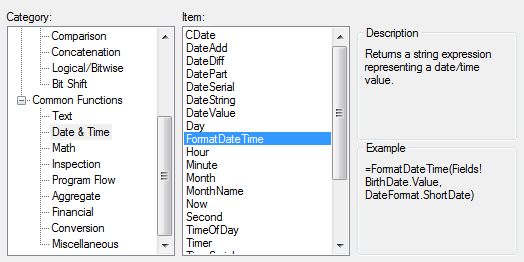
The other formats are:
=FormatDateTime(Fields!BirthDate.Value, DateFormat.GeneralDate)
=FormatDateTime(Fields!BirthDate.Value, DateFormat.LongDate)
=FormatDateTime(Fields!BirthDate.Value, DateFormat.ShortDate)
=FormatDateTime(Fields!BirthDate.Value, DateFormat.LongTime)
=FormatDateTime(Fields!BirthDate.Value, DateFormat.ShortTime)
Unfortunately if you are using US dates and want the report to use a specific European date format and you spend as long as I did searching the web for a solution, then ignore all the above.
Another built-in function is the text-formatter
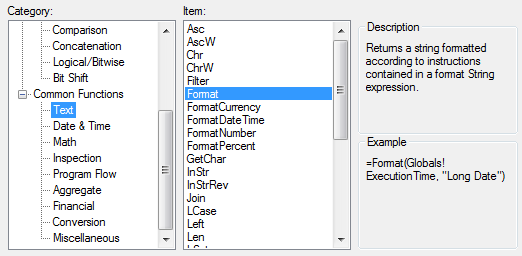
=Format(Fields!myDateTime.Value, "M/d/yy") ... 6/15/09
=Format(Fields!myDateTime.Value, "M/d/yyyy h:mmtt") ... 6/15/2009 2:45PM
=Format(Fields!myDateTime.Value, "MM/dd/yy HH:mm") ... 06/15/09 14:45
=Format(Fields!myDateTime.Value, "MMM d, yyyy") ... Jun 15, 2009
=Format(Fields!myDateTime.Value, "Short Date") ... 6/15/2009
=Format(Fields!myDateTime.Value, "Long Date") ... Monday, June 15, 2009
=Format(Fields!myDateTime.Value, "ddd dd/MM/yyyy") ... Mon 04/04/2011
European and Now:
The above is about formatting dates and times but if you want a NOW timestamp in a specific format, try...
=Format(now(), "ddd, dd MMMM yyyy HH:mm:ss")
=Format(now(), "dd/MM/yyyy")NOW() vs TODAY()
Noticed this when setting date as the parameter and trying to specify default date as today's in the format DD/MM/YYYY.Googled this but couldn't find an answer, then I just replaced "=NOW()" [yields: 01/01/2011 01:00:00] with "=Today()" [yields: 01/01/2011] and this did the trick.
English Ordinal Suffix in T-SQL for MDX
Working in the UK my bosses like the English Ordinal Suffix. I haven't seen this anywhere in Google, I thought I could use SWITCH to do this in an MDX query but I spent over an hour before I gave up trying to get SWITCH to work. Instead I cheated and got the ordinal in the Transact-SQL query: CASE DATEPART(DAY, [MyDateValue])
WHEN 1 THEN 'st'
WHEN 21 THEN 'st'
WHEN 31 THEN 'st'
WHEN 2 THEN 'nd'
WHEN 22 THEN 'nd'
WHEN 3 THEN 'rd'
WHEN 23 THEN 'rd'
ELSE 'th'
END AS Ordinal,Even Microsoft don't have helpful documentation on using SWITCH in an MDX query. Chances are they can't get it working either:
Switch(
	Format(Fields!Date.Value,"d")=1,"st",
	Format(Fields!Date.Value,"d")=21,"st",
	Format(Fields!Date.Value,"d")=31,"st",
	Format(Fields!Date.Value,"d")=2,"nd",
	Format(Fields!Date.Value,"d")=22,"nd",
	Format(Fields!Date.Value,"d")=3,"rd",
	Format(Fields!Date.Value,"d")=23,"rd")
This is not formatting a date in MDX, this formatting a date in SSRS