What?
This article explains how to request supplier quotations from a Zoho CRM Quote and associate received emails with a Quote, Purchase Order or Sales Order using Deluge.
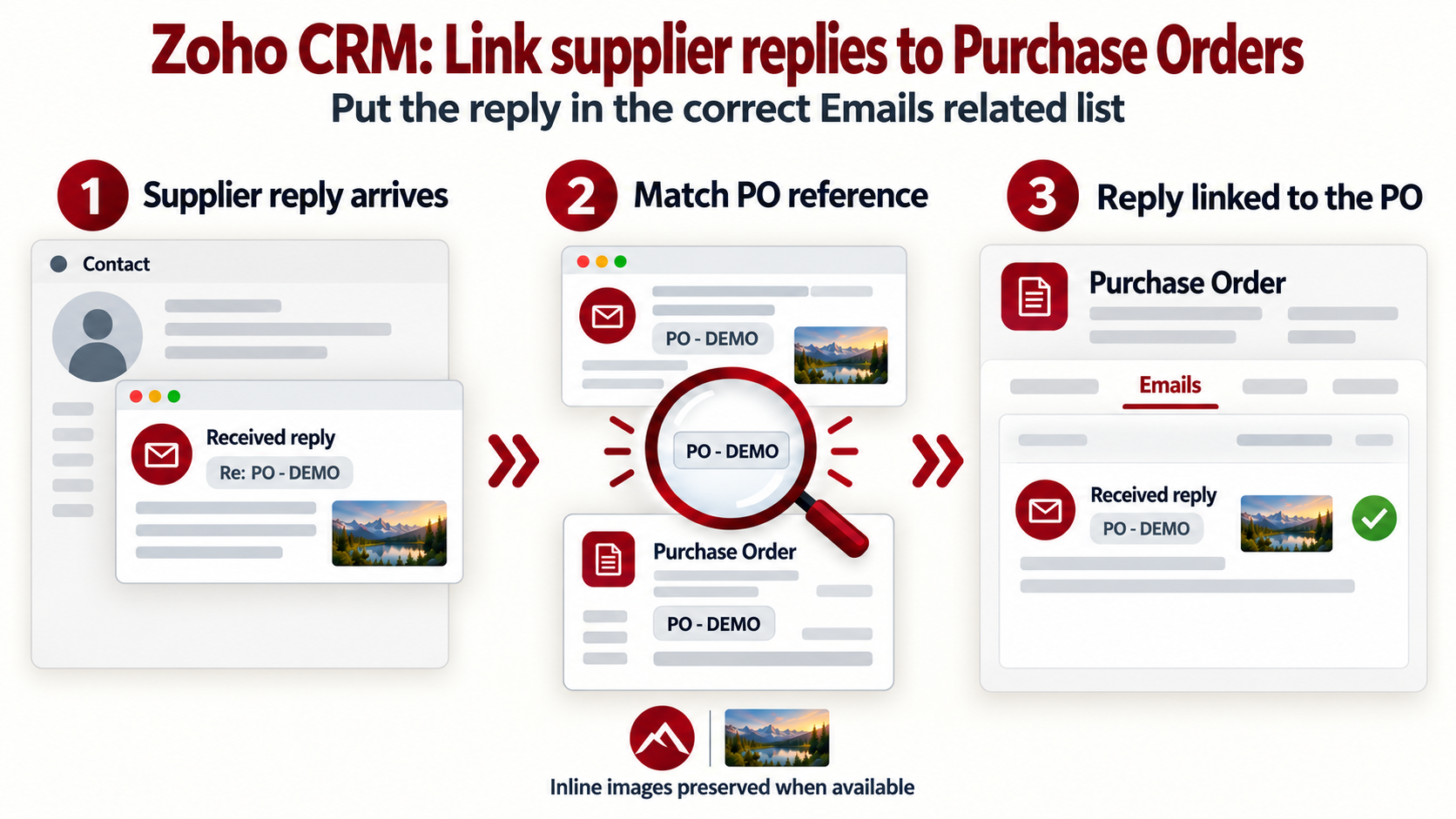
A button sends each supplier a request containing its selected quote lines and their uploaded files. The receiver uses an email subject and a supplied Contact ID to find a transaction and copy eligible received emails from that Contact's email history.
The receiver also attempts to copy CRM inline images referenced by img_id:. It downloads each image, uploads it to Zoho File System (ZFS), and replaces the original image ID in the copied HTML after a successful upload.
Why?
A purchasing team needs supplier costs and availability before issuing its customer quotation. One Quote may contain items from several suppliers, so each supplier should receive only its own items, quantities, descriptions and supporting files. The request template omits customer fields, selling prices and margins.
Keeping the transaction reference in replies lets staff review correspondence against the relevant Quote, Purchase Order or Sales Order. The source Contact's emails must already be accessible through the CRM email integration.
Copying the HTML alone does not transfer CRM inline images. Zoho's email association API requires those images to be uploaded to ZFS with type=inline and referenced using their new file IDs.
How?
1. Prepare the modules and fields
The examples use the module API names Quotes, Purchase_Orders, Sales_Orders, Vendors and Contacts. Use API names even if your CRM displays different labels. Here, Jobs are records in Sales_Orders.
The reference fields below are custom fields. Their prefixes and example digit counts are local conventions. Keep the values as text to preserve leading zeroes, and ensure each reference identifies one record within its module.
| Module API name | Reference field API name | Example reference | Use in these functions |
|---|---|---|---|
Quotes | Quote_Reference | QUO-123456 | The sender requires QUO- followed by six digits. The receiver searches for an exact reference match. |
Purchase_Orders | PO_Reference | PO-12345 | The receiver searches the reference field, then falls back to the Subject. |
Sales_Orders | Job_Reference | JOB-0000015 | The receiver searches the reference field, then falls back to the Subject. |
The receiver recognises PO-, JOB- and QUO-. It does not validate digit counts or recognise SO- references or the older PO - 123 format.
The supplier-request function uses the following fields on the Quote and its Quoted_Items inventory lines:
| Location | Field API name | Use |
|---|---|---|
| Quote | Quote_Reference | Reference included in the supplier email subject. |
| Quote | Quote_Stage | Updated to Getting Cost from Supplier after at least one request is submitted. |
| Quote | Valid_Till | Set to 30 days from execution only when blank, as part of that update. |
| Quoted item | Product_Name, Quantity, Description | Product, required quantity and supplier-facing description. |
| Quoted item | Supplier | Custom lookup to a record in Vendors. |
| Quoted item | Request_from_Supplier | Custom picklist controlling which lines are requested and recording their submission status. |
| Quoted item | Part_Ref | Custom part-reference field included in the supplier request. |
| Quoted item | File_Upload | Custom file-upload field. Files from the same supplier's selected lines are collected together. |
The line-level Request_from_Supplier picklist must include the exact options Get Supplier's Quote and Sent to Supplier. Only lines set to Get Supplier's Quote are selected. Each selected line requires its own Supplier lookup, a readable product and a quantity greater than zero. Vendor records need Vendor_Name and a non-empty Email.
For the receiver, supply the CRM Contact ID whose email history contains the reply. The function reads that Contact's Emails related list directly; it does not discover the Contact from a sender address, a Vendor or the transaction's Contact_Name.
2. Configure the connections and email integration
The sender's API requests use the connection link name crm_connection; the receiver's API requests use ab_crm. Configure both connections for the operations used here: record access, Quote updates, email retrieval and association, file downloads and uploads.
Zoho's association endpoint requires ZohoCRM.modules.emails.ALL and ZohoCRM.modules.{module}.ALL for the destination module. ZFS uploads require ZohoCRM.Files.CREATE. The authorised user also needs access to the source emails and the relevant email-sharing permissions.
Both functions use the EU API base https://www.zohoapis.eu/crm/v8. Use the API domain for your data centre when adapting them. The sender's branding uses v_CompanyName and the optional v_CompanyLogoUrl. Sending uses zoho.loginuserid; v_ReplyToEmail defaults to the same address.
Use an email integration supported by email workflows. Zoho documents IMAP support and states that Gmail API integrations do not support these workflows. The reply must have synchronised into CRM before the receiver can retrieve it.
3. Add the supplier-request button
- Go to Setup > Customization > Modules and Fields > Quotes, open the button settings and create a button.
- Enter the button name, choose Function as the action, select In Record and the Details position, then choose Write your own.
- Create
fn_Quote_SendToSuppliersin the Button category. Add the string argumentp_QuoteIdand map it to Quotes - Quote Id using the # field selector. - Save the function, associate it with the button and select the profiles allowed to use it.
The function checks selected lines, downloads their files and requires supplier email addresses before sending. It groups the lines by Vendor ID and submits one email per supplier. Each request contains only that supplier's selected items and asks for prices excluding VAT, availability, lead time, carriage and quotation details. Existing line costs do not exclude a selected line.
The uploaded line files are sent as ordinary attachments. After each submission, the function attempts to save an outgoing email entry against the Quote. This copy contains the body but does not include the ordinary attachments. Copy failures are reported separately from send failures.
After at least one submission, the function attempts to update the Quote Stage and mark the submitted suppliers' selected lines as Sent to Supplier. Lines belonging to failed submissions retain their status. Update failures are reported in the returned summary. Although the code builds v_NoteContent, this version does not create a CRM Note.
Staff review supplier responses and enter the agreed costs. These functions do not extract reply prices, change selling prices or create Purchase Orders.
Supplier-request function
string button.fn_Quote_SendToSuppliers(String p_QuoteId)
{
/* *******************************************************************************
Function: fn_Quote_SendToSuppliers
Label: Request Supplier Quotations
Trigger: Button on a saved Quotes record; map p_QuoteId to its record ID.
Purpose: Request supplier prices for selected quote lines and associate
a copy of each outgoing request with the Quote.
Inputs: p_QuoteId, the Quote record ID supplied by the button.
Outputs: Submission summary; Quote note, stage and line-status updates.
Date Created: 2026-10-06 (Joel Lipman)
Date Modified: 2026-10-29 (Joel Lipman)
- Generalised publication example.
- Separate submission errors from email-copy errors.
- Update line statuses only for submitted supplier groups.
More Information:
Uses custom Quoted_Items fields and the crm_connection connection.
Supplier is required on each selected line; there is no fallback.
Email submission is not confirmation of delivery.
******************************************************************************* */
// Configuration: use the API domain for your CRM data centre.
v_ApiBase = "https://www.zohoapis.eu/crm/v8";
v_SupplierModule = "Vendors";
v_SupplierEmailField = "Email";
v_SupplierNameField = "Vendor_Name";
v_CompanyName = "Example Company";
v_CompanyLogoUrl = "";
v_SenderEmail = zoho.loginuserid;
v_ReplyToEmail = zoho.loginuserid;
v_QuoteId = ifnull(p_QuoteId,"").trim();
if(v_QuoteId == "")
{
return "No requests were submitted. The Quote ID is missing.";
}
if(ifnull(v_SenderEmail,"").trim() == "" || ifnull(v_ReplyToEmail,"").trim() == "")
{
return "No requests were submitted. The sender or reply email address is missing.";
}
// Validate all selected lines and suppliers before sending any email.
m_SupplierGroups = Map();
l_SupplierIds = List();
v_RowNumber = 0;
try
{
m_QuoteQuery = Map();
m_QuoteQuery.put("fields","Quote_Reference,Quoted_Items,Valid_Till");
r_Quote = zoho.crm.v8.getRecordById("Quotes",v_QuoteId.toLong(),m_QuoteQuery);
if(r_Quote.get("id") == null)
{
return "No requests were submitted. The Quote could not be retrieved.";
}
v_QuoteReference = ifnull(r_Quote.get("Quote_Reference"),"").toString().trim();
if(v_QuoteReference.matches("^QUO-[0-9]{6}$") == false)
{
return "No requests were submitted. Quote_Reference must contain QUO- followed by six digits.";
}
m_HasMore = ifnull(r_Quote.get("$has_more"),Map());
if(ifnull(m_HasMore.get("Quoted_Items"),false))
{
return "No requests were submitted. CRM returned only part of the quoted items. Retrieve the remaining lines before sending.";
}
l_QuotedItems = ifnull(r_Quote.get("Quoted_Items"),List());
for each m_QuotedItem in l_QuotedItems
{
v_RowNumber = v_RowNumber + 1;
if(ifnull(m_QuotedItem.get("Request_from_Supplier"),"") != "Get Supplier's Quote")
{
continue;
}
m_Product = ifnull(m_QuotedItem.get("Product_Name"),Map());
v_ProductName = ifnull(m_Product.get("name"),"").toString().trim();
if(m_Product.get("id") == null || v_ProductName == "")
{
return "No requests were submitted. Line " + v_RowNumber + " has no readable product.";
}
v_Quantity = ifnull(m_QuotedItem.get("Quantity"),0).toDecimal();
if(v_Quantity <= 0)
{
return "No requests were submitted. Line " + v_RowNumber + " must have a quantity greater than zero.";
}
m_RowSupplier = ifnull(m_QuotedItem.get("Supplier"),Map());
v_SupplierId = ifnull(m_RowSupplier.get("id"),"").toString().trim();
if(v_SupplierId == "")
{
return "No requests were submitted. Line " + v_RowNumber + " (" + v_ProductName + ") needs a supplier.";
}
if(m_SupplierGroups.containKey(v_SupplierId) == false)
{
m_SupplierGroup = Map();
m_SupplierGroup.put("name",ifnull(m_RowSupplier.get("name"),v_SupplierId));
m_SupplierGroup.put("rows","");
m_SupplierGroup.put("items","");
m_SupplierGroups.put(v_SupplierId,m_SupplierGroup);
l_SupplierIds.add(v_SupplierId);
}
m_SupplierGroup = m_SupplierGroups.get(v_SupplierId);
v_Description = ifnull(m_QuotedItem.get("Description"),"").toString();
v_DescriptionHtml = v_Description.htmlEncode().replaceAll("\n","<br />");
v_PartRef = ifnull(m_QuotedItem.get("Part_Ref"),"").toString().htmlEncode();
v_TableRow = "<table border='1' cellpadding='10' cellspacing='0' width='100%' style='width:100%;table-layout:fixed;border-collapse:collapse;border-color:#d5dce2;font-size:14px;margin-bottom:16px;word-wrap:break-word;'>";
v_TableRow = v_TableRow + "<tr><td colspan='2' style='background-color:#eef2f5;'><strong>Line " + v_RowNumber + ": " + v_ProductName.htmlEncode() + "</strong></td></tr>";
v_TableRow = v_TableRow + "<tr><td width='40%'>Description</td><td width='60%'>" + v_DescriptionHtml + "</td></tr>";
v_TableRow = v_TableRow + "<tr><td>Part Reference</td><td>" + v_PartRef + "</td></tr>";
v_TableRow = v_TableRow + "<tr><td>Quantity required</td><td>" + v_Quantity + "</td></tr>";
v_TableRow = v_TableRow + "<tr><td>Unit price, excl. VAT</td><td> </td></tr>";
v_TableRow = v_TableRow + "<tr><td>Availability / lead time</td><td> </td></tr>";
v_TableRow = v_TableRow + "<tr><td>Notes / alternative</td><td> </td></tr></table>";
m_SupplierGroup.put("rows",m_SupplierGroup.get("rows") + v_TableRow);
m_SupplierGroup.put("items",m_SupplierGroup.get("items") + "Line " + v_RowNumber + ": " + v_ProductName + ", quantity " + v_Quantity + "\n");
// Keep attachments collected from this supplier's earlier lines.
l_SupplierAttachments = ifnull(m_SupplierGroup.get("attachments"),List());
l_FileUploads = ifnull(m_QuotedItem.get("File_Upload"),List());
for each m_FileUpload in l_FileUploads
{
v_FileId = ifnull(m_FileUpload.get("File_Id__s"),"");
if(v_FileId == "")
{
return "No requests were submitted. A file on line " + v_RowNumber + " has no readable file ID.";
}
f_Attachment = invokeurl
[
url :v_ApiBase + "/files?id=" + v_FileId
type :GET
connection:"crm_connection"
response-format:FILE
];
if(f_Attachment == null)
{
return "No requests were submitted. A line attachment could not be downloaded.";
}
if(f_Attachment.isFile() == false)
{
return "No requests were submitted. A line attachment did not return a file.";
}
v_FileName = ifnull(m_FileUpload.get("File_Name__s"),"");
if(v_FileName != "")
{
f_Attachment.setFileName(v_FileName);
}
f_Attachment.setParamName("file");
l_SupplierAttachments.add(f_Attachment);
}
m_SupplierGroup.put("attachments",l_SupplierAttachments);
m_SupplierGroups.put(v_SupplierId,m_SupplierGroup);
}
if(l_SupplierIds.isEmpty())
{
return "No emails were sent. Set Request from Supplier to Get Supplier's Quote on at least one line and select its supplier.";
}
m_SupplierQuery = Map();
m_SupplierQuery.put("fields",v_SupplierEmailField + "," + v_SupplierNameField);
for each v_SupplierId in l_SupplierIds
{
m_SupplierGroup = m_SupplierGroups.get(v_SupplierId);
r_Supplier = zoho.crm.v8.getRecordById(v_SupplierModule,v_SupplierId.toLong(),m_SupplierQuery);
if(r_Supplier.get("id") == null)
{
return "No requests were submitted. Supplier " + m_SupplierGroup.get("name") + " could not be retrieved.";
}
v_SupplierEmail = ifnull(r_Supplier.get(v_SupplierEmailField),"").toString().trim();
if(v_SupplierEmail == "")
{
return "No requests were submitted. Supplier " + m_SupplierGroup.get("name") + " has no email address.";
}
m_SupplierGroup.put("email",v_SupplierEmail);
m_SupplierGroup.put("name",ifnull(r_Supplier.get(v_SupplierNameField),m_SupplierGroup.get("name")));
m_SupplierGroups.put(v_SupplierId,m_SupplierGroup);
}
}
catch (r_PrepareError)
{
info r_PrepareError;
return "No requests were submitted. Preparation failed: " + r_PrepareError.toString();
}
// Submit a separate request to each supplier.
l_Submitted = List();
l_SubmittedSupplierIds = List();
l_Failed = List();
l_CopyWarnings = List();
v_NoteContent = "Quote reference: " + v_QuoteReference + "\nSender: " + v_SenderEmail + "\nReply to: " + v_ReplyToEmail + "\nRequested at: " + zoho.currenttime.toString("yyyy-MM-dd HH:mm:ss") + "\n";
m_Headers = Map();
m_Headers.put("Content-Type","application/json");
for each v_SupplierId in l_SupplierIds
{
m_SupplierGroup = m_SupplierGroups.get(v_SupplierId);
l_SupplierAttachments = ifnull(m_SupplierGroup.get("attachments"),List());
v_SupplierName = m_SupplierGroup.get("name").toString();
v_SupplierEmail = m_SupplierGroup.get("email");
v_NoteContent = v_NoteContent + "\nSupplier: " + v_SupplierName + "\nEmail: " + v_SupplierEmail + "\n" + m_SupplierGroup.get("items");
try
{
v_EmailSubject = "Request for quotation | " + v_CompanyName + " | Reference " + v_QuoteReference;
v_EmailBody = "<div style='font-family:Arial,Helvetica,sans-serif;font-size:16px;line-height:1.5;color:#253746;width:100%;max-width:700px;'>";
if(v_CompanyLogoUrl != "")
{
v_EmailBody = v_EmailBody + "<img src='" + v_CompanyLogoUrl.htmlEncode() + "' alt='" + v_CompanyName.htmlEncode() + "' width='260' style='display:block;max-width:100%;height:auto;border:0;' />";
}
v_EmailBody = v_EmailBody + "<h2 style='font-size:20px;'>Request for quotation</h2><p>Reference: <strong>" + v_QuoteReference.htmlEncode() + "</strong></p>";
v_EmailBody = v_EmailBody + "<p>Hello " + v_SupplierName.htmlEncode() + ",</p><p>Please quote for the items below. Enter prices and availability when replying, or attach your quotation, retaining our reference and line numbers.</p>";
v_EmailBody = v_EmailBody + "<p>Please state prices excluding VAT, confirm the currency and include alternatives in the notes field.</p>" + m_SupplierGroup.get("rows");
v_EmailBody = v_EmailBody + "<h3 style='font-size:16px;'>Quotation details</h3><table border='1' cellpadding='10' cellspacing='0' width='100%' style='border-collapse:collapse;font-size:14px;word-wrap:break-word;'>";
l_QuotationLabels = {"Your quotation reference","Currency","Carriage charge, excluding VAT","VAT rate / amount","Quotation valid until","Delivery conditions / other comments"};
for each v_QuotationLabel in l_QuotationLabels
{
v_EmailBody = v_EmailBody + "<tr><td width='40%' style='background-color:#eef2f5;'><strong>" + v_QuotationLabel + "</strong></td><td> </td></tr>";
}
v_EmailBody = v_EmailBody + "</table><p>If an item cannot be supplied, please note this against its line.</p><p><strong>Quotation request only.</strong> Please await our purchase order before supplying any items.</p><p>Kind regards,<br /><strong>" + v_CompanyName.htmlEncode() + "</strong></p></div>";
sendmail
[
from :zoho.loginuserid
to :v_SupplierEmail
reply to :v_ReplyToEmail
subject :v_EmailSubject
message :v_EmailBody
Attachments :file:l_SupplierAttachments
]
l_Submitted.add(v_SupplierName + " (" + v_SupplierEmail + ")");
l_SubmittedSupplierIds.add(v_SupplierId);
v_NoteContent = v_NoteContent + "Result: submitted to sendmail; delivery not confirmed.\n";
}
catch (r_SendError)
{
l_Failed.add(v_SupplierName + ": " + r_SendError.toString());
v_NoteContent = v_NoteContent + "Result: request error: " + r_SendError.toString() + "\n";
continue;
}
// A copy error must not turn an already submitted email into a send error.
try
{
m_EmailCopy = Map();
m_EmailCopy.put("from",{"user_name":v_CompanyName,"email":v_SenderEmail});
m_EmailCopy.put("to",{{"user_name":v_SupplierName,"email":v_SupplierEmail}});
m_EmailCopy.put("subject",v_EmailSubject);
m_EmailCopy.put("content",v_EmailBody);
m_EmailCopy.put("mail_format","html");
m_EmailCopy.put("date_time",zoho.currenttime.toString("yyyy-MM-dd'T'HH:mm:ssXXX"));
m_EmailCopy.put("sent",true);
m_EmailCopy.put("original_message_id","request-" + v_QuoteId + "-" + v_SupplierId + "-" + zoho.currenttime.toLong().toString());
m_Request = Map();
m_Request.put("Emails",{m_EmailCopy});
r_Associate = invokeurl
[
url :v_ApiBase + "/Quotes/" + v_QuoteId + "/actions/associate_email"
type :POST
body:m_Request.toString()
headers:m_Headers
connection:"crm_connection"
];
l_CopyResults = ifnull(r_Associate.get("Emails"),List());
b_CopySaved = false;
if(l_CopyResults.size() > 0)
{
m_CopyResult = l_CopyResults.get(0);
if(m_CopyResult.get("code") == "SUCCESS" || m_CopyResult.get("status") == "success")
{
b_CopySaved = true;
}
}
if(b_CopySaved == false)
{
info r_Associate;
l_CopyWarnings.add(v_SupplierName + ": outgoing email copy was not confirmed.");
}
}
catch (r_CopyError)
{
info r_CopyError;
l_CopyWarnings.add(v_SupplierName + ": outgoing email copy failed.");
}
}
v_Result = "Supplier requests submitted: " + l_Submitted.size() + " of " + l_SupplierIds.size() + ".";
if(l_Submitted.isEmpty() == false)
{
v_Result = v_Result + " Submitted: " + l_Submitted.toString();
}
if(l_Failed.isEmpty() == false)
{
v_Result = v_Result + " Request errors: " + l_Failed.toString();
}
if(l_CopyWarnings.isEmpty() == false)
{
v_Result = v_Result + " Copy warnings: " + l_CopyWarnings.toString();
}
// Change statuses only for supplier groups submitted without a sendmail error.
if(l_SubmittedSupplierIds.isEmpty() == false)
{
try
{
l_UpdateQuotedItems = List();
for each m_OriginalLine in l_QuotedItems
{
m_UpdateLine = m_OriginalLine.toString().toMap();
m_LineSupplier = ifnull(m_OriginalLine.get("Supplier"),Map());
v_LineSupplierId = ifnull(m_LineSupplier.get("id"),"").toString();
if(ifnull(m_OriginalLine.get("Request_from_Supplier"),"") == "Get Supplier's Quote" && l_SubmittedSupplierIds.contains(v_LineSupplierId))
{
m_UpdateLine.put("Request_from_Supplier","Sent to Supplier");
}
m_UpdateLine.remove("File_Upload");
l_UpdateQuotedItems.add(m_UpdateLine);
}
m_UpdateQuote = Map();
m_UpdateQuote.put("Quote_Stage","Getting Cost from Supplier");
m_UpdateQuote.put("Quoted_Items",l_UpdateQuotedItems);
if(ifnull(r_Quote.get("Valid_Till"),"") == "")
{
m_UpdateQuote.put("Valid_Till",zoho.currentdate.addDay(30).toString("yyyy-MM-dd"));
}
m_UpdateRequest = Map();
m_UpdateRequest.put("data",{m_UpdateQuote});
m_UpdateRequest.put("trigger",List());
r_Update = invokeurl
[
url :v_ApiBase + "/Quotes/" + v_QuoteId
type :PUT
body:m_UpdateRequest.toString()
headers:m_Headers
connection:"crm_connection"
];
l_UpdateResults = ifnull(r_Update.get("data"),List());
b_QuoteUpdated = false;
if(l_UpdateResults.size() > 0)
{
m_UpdateResult = l_UpdateResults.get(0);
if(m_UpdateResult.get("code") == "SUCCESS")
{
b_QuoteUpdated = true;
}
}
if(b_QuoteUpdated == false)
{
info r_Update;
v_Result = v_Result + " Quote stage and line-status updates were not confirmed.";
}
}
catch (r_UpdateError)
{
info r_UpdateError;
v_Result = v_Result + " Quote stage and line-status updates failed.";
}
}
return v_Result;
}4. Add the receiving function
The receiving function is named fn_Email_AssociateToTransactional and is declared in the Standalone category. Its arguments are:
| Argument | Type | Value |
|---|---|---|
p_Subject | String | The incoming email's subject. |
p_ContactId | Int | The source Contact's CRM record ID. |
Return-type mismatch: the pasted receiver declares string, but contains bare return; statements and no final string return. Its header also describes older dependencies and diagnostic output. Reconcile this before using it as a Standalone function; Zoho documents a string return for that category.
The receiver extracts each recognised reference independently. It tries Purchase Orders first, then Jobs, then Quotes, regardless of where those references appear in the subject. Purchase Order and Job searches try the exact reference field before a Subject fallback. Quote searches require an exact Quote_Reference match. These subjects illustrate the reference formats:
Re: Request for quotation | Example Company | Reference QUO-123456
Re: Purchase order PO-12345 - SO-1234567
The first subject can select a Quote. The second can select a Purchase Order; its SO-1234567 token is not recognised by this receiver. Use a JOB- reference for a Sales Order. Each run selects one destination, continuing to the next supported module only if no earlier match was found.
The source Contact is the supplied p_ContactId. To process supplier or customer replies, pass the Contact ID whose CRM email history contains those replies. The supplier-request button sends only supplier requests; customer quotations must also retain the QUO- reference in their subjects.
The receiver examines up to five pages from that Contact's Emails list and processes every eligible received email returned, rather than selecting only the triggering email. Zoho's list endpoint returns ten summaries per call, so this version examines at most 50 summaries. Quote email subjects are checked against the extracted Quote reference. Other matches use the extracted PO reference for the email-subject check.
Job-filter mismatch: a Job-only subject leaves v_POReference empty, but the email filter still checks that value instead of v_JobReference. This does not verify the Job reference in each source email. The function also does not compare each email's sender or the triggering email's exact message ID.
Receiving function
void automation.fn_Email_AssociateToTransactional(String p_Subject,Int ContactID)
{
	/* *******************************************************************************
		Function:       automation.fn_Email_AssociateToPO
		Label:          automation.fn_Email_AssociateToPO
		Trigger:        Workflow triggered by an incoming email.
		Purpose:        Find a Purchase Order, Job (Sales Order), or Quote from the incoming email subject,
						then clone all received Contact emails onto the matched record.
		Inputs:         p_Subject, ContactID
		Outputs:        Received emails associated with the matched record.

		Date Updated:   2026-10-29
						- Extract PO references in PO-00059 format.
						- Retain support for older PO references without the PO- prefix.
						- Match Purchase Orders by exact PO_Reference first.
						- Fall back to Purchase Order Subject matching.
						- Match Jobs by exact Job_Reference first.
						- Match Quotes by exact Quote_Reference.
						- Fall back to Job Subject matching.
						- Verify candidate references before selecting records.
						- Retain the existing received-email cloning implementation.

		Date Updated:   2026-11-03
						- Includes responding file attachments

		More Information:
						Uses Zoho CRM V8 and the my_crm_connection connection.

		******************************************************************************* */
	v_ContactID = ContactID;
	v_IncomingSubject = ifnull(p_Subject,"");
	v_BaseURL = "https://www.zohoapis.eu/crm/v8";
	v_TargetModule = "";
	v_TargetRecordID = "";
	v_TargetName = "";
	v_POReference = "";
	v_JobReference = "";
	v_QuoteReference = "";
	v_TotalEmails = 0;
	v_ReceivedEmails = 0;
	v_SuccessCount = 0;
	v_FailedCount = 0;
	v_SkippedCount = 0;
	v_TotalImagesUploaded = 0;
	v_TotalImagesFailed = 0;
	v_PageCount = 0;
	v_MoreRecords = true;
	v_HasNextIndex = false;
	v_NextIndex = "";
	// -------------------------------------------------------------------------
	// STEP 1: Validate inputs.
	// -------------------------------------------------------------------------
	if(v_IncomingSubject.trim() == "")
	{
		return;
	}
	if(v_ContactID == null)
	{
		return;
	}
	// -------------------------------------------------------------------------
	// STEP 2: Extract PO and Job references.
	//
	// -------------------------------------------------------------------------
	v_SubjectUpper = v_IncomingSubject.toUpperCase().trim();
	// First look for the complete PO reference, e.g. PO-00059.
	v_POCodePos = v_SubjectUpper.indexOf("PO-");
	if(v_POCodePos >= 0)
	{
		v_POCodeRemainder = v_SubjectUpper.subString(v_POCodePos,v_SubjectUpper.length());
		l_POCodeTokens = v_POCodeRemainder.toList(" ");
		if(l_POCodeTokens != null && l_POCodeTokens.size() > 0)
		{
			v_POReference = l_POCodeTokens.get(0).trim();
			// Remove common trailing punctuation without altering the reference.
			if(v_POReference.endsWith(","))
			{
				v_POReference = v_POReference.subString(0,v_POReference.length() - 1);
			}
			if(v_POReference.endsWith(";"))
			{
				v_POReference = v_POReference.subString(0,v_POReference.length() - 1);
			}
			if(v_POReference.endsWith("."))
			{
				v_POReference = v_POReference.subString(0,v_POReference.length() - 1);
			}
		}
	}
	else
	{
		// Backward compatibility for subjects such as "Subcontractor PO - 123".
		v_POPos = v_SubjectUpper.indexOf("PO - ");
		if(v_POPos >= 0)
		{
			v_POStart = v_POPos + 5;
			v_PORemainder = v_SubjectUpper.subString(v_POStart,v_SubjectUpper.length());
			l_POTokens = v_PORemainder.toList(" - ");
			if(l_POTokens != null && l_POTokens.size() > 0)
			{
				v_POReference = l_POTokens.get(0).trim();
			}
		}
	}
	// Extract the Job reference independently of the PO reference.
	v_JobPos = v_SubjectUpper.indexOf("SO-");
	if(v_JobPos >= 0)
	{
		v_JobRemainder = v_SubjectUpper.subString(v_JobPos,v_SubjectUpper.length());
		l_JobTokens = v_JobRemainder.toList(" ");
		if(l_JobTokens != null && l_JobTokens.size() > 0)
		{
			v_JobReference = l_JobTokens.get(0).trim();
			if(v_JobReference.endsWith(","))
			{
				v_JobReference = v_JobReference.subString(0,v_JobReference.length() - 1);
			}
			if(v_JobReference.endsWith(";"))
			{
				v_JobReference = v_JobReference.subString(0,v_JobReference.length() - 1);
			}
			if(v_JobReference.endsWith("."))
			{
				v_JobReference = v_JobReference.subString(0,v_JobReference.length() - 1);
			}
		}
	}
	// Extract a Quote reference independently, e.g. QUO-000005.
	v_QuotePos = v_SubjectUpper.indexOf("QUO-");
	if(v_QuotePos >= 0)
	{
		v_QuoteRemainder = v_SubjectUpper.subString(v_QuotePos,v_SubjectUpper.length());
		l_QuoteTokens = v_QuoteRemainder.toList(" ");
		if(l_QuoteTokens != null && l_QuoteTokens.size() > 0)
		{
			v_QuoteReference = l_QuoteTokens.get(0).trim();
			if(v_QuoteReference.endsWith(","))
			{
				v_QuoteReference = v_QuoteReference.subString(0,v_QuoteReference.length() - 1);
			}
			if(v_QuoteReference.endsWith(";"))
			{
				v_QuoteReference = v_QuoteReference.subString(0,v_QuoteReference.length() - 1);
			}
			if(v_QuoteReference.endsWith("."))
			{
				v_QuoteReference = v_QuoteReference.subString(0,v_QuoteReference.length() - 1);
			}
		}
	}
	// -------------------------------------------------------------------------
	// STEP 3: Find the Purchase Order using the exact PO_Reference.
	// -------------------------------------------------------------------------
	if(v_POReference != "")
	{
		l_PurchaseOrders = List();
		try
		{
			l_PurchaseOrders = zoho.crm.searchRecords("Purchase_Orders","(PO_Reference:equals:" + v_POReference + ")",1,10);
		}
		catch (e)
		{
			// Continue with the existing lookup flow.
		}
		if(l_PurchaseOrders != null && l_PurchaseOrders.size() > 0)
		{
			for each  m_POCandidate in l_PurchaseOrders
			{
				v_CandidatePOReference = ifnull(m_POCandidate.get("PO_Reference"),"").toUpperCase().trim();
				v_CandidatePOSubject = ifnull(m_POCandidate.get("Subject"),"").toUpperCase().trim();
				if(v_CandidatePOReference == v_POReference)
				{
					v_TargetModule = "Purchase_Orders";
					v_TargetRecordID = m_POCandidate.get("id").toString();
					v_TargetName = ifnull(m_POCandidate.get("Subject"),"");
					break;
				}
			}
		}
		// ---------------------------------------------------------------------
		// STEP 3B: Fallback to searching the Purchase Order Subject.
		// This only runs when the exact reference did not identify a record.
		// ---------------------------------------------------------------------
		if(v_TargetRecordID == "")
		{
			l_POBySubject = List();
			try
			{
				l_POBySubject = zoho.crm.searchRecords("Purchase_Orders","(Subject:contains:" + v_POReference + ")",1,10);
			}
			catch (e)
			{
				// Continue with the existing lookup flow.
			}
			if(l_POBySubject != null && l_POBySubject.size() > 0)
			{
				for each  m_POCandidate in l_POBySubject
				{
					v_CandidatePOReference = ifnull(m_POCandidate.get("PO_Reference"),"").toUpperCase().trim();
					v_CandidatePOSubject = ifnull(m_POCandidate.get("Subject"),"").toUpperCase().trim();
					// Accept only a candidate whose PO reference is an exact
					// match or whose Subject actually contains the extracted
					// PO reference.
					if(v_CandidatePOReference == v_POReference || v_CandidatePOSubject.contains(v_POReference))
					{
						v_TargetModule = "Purchase_Orders";
						v_TargetRecordID = m_POCandidate.get("id").toString();
						v_TargetName = ifnull(m_POCandidate.get("Subject"),"");
						break;
					}
				}
			}
		}
	}
	// -------------------------------------------------------------------------
	// STEP 4: If no PO matched, search Jobs by their Job_Reference field.
	// The expected field value is SO-0000015.
	// -------------------------------------------------------------------------
	if(v_TargetRecordID == "" && v_JobReference != "")
	{
		l_JobsByReference = List();
		try
		{
			l_JobsByReference = zoho.crm.searchRecords("Sales_Orders","(Job_Reference:equals:" + v_JobReference + ")",1,10);
		}
		catch (e)
		{
			// Continue with the existing lookup flow.
		}
		if(l_JobsByReference != null && l_JobsByReference.size() > 0)
		{
			for each  m_JobCandidate in l_JobsByReference
			{
				v_CandidateJobReference = ifnull(m_JobCandidate.get("Job_Reference"),"").toUpperCase().trim();
				v_CandidateJobSubject = ifnull(m_JobCandidate.get("Subject"),"").toUpperCase().trim();
				if(v_CandidateJobReference == v_JobReference)
				{
					v_TargetModule = "Sales_Orders";
					v_TargetRecordID = m_JobCandidate.get("id").toString();
					v_TargetName = ifnull(m_JobCandidate.get("Subject"),"");
					break;
				}
			}
		}
		// ---------------------------------------------------------------------
		// STEP 4B: Fallback to the Job Subject.
		//
		// Example Subject:
		// 1091 - SO-0000015 - Ascent Business5 - 2026-10-09
		//
		// The full Subject does not need to equal SO-0000015. It only needs
		// to contain the extracted Job reference, which is also validated
		// against the returned record before selecting it.
		// ---------------------------------------------------------------------
		if(v_TargetRecordID == "")
		{
			l_JobsBySubject = List();
			try
			{
				l_JobsBySubject = zoho.crm.searchRecords("Sales_Orders","(Subject:contains:" + v_JobReference + ")",1,10);
			}
			catch (e)
			{
				// Continue with the existing lookup flow.
			}
			if(l_JobsBySubject != null && l_JobsBySubject.size() > 0)
			{
				for each  m_JobCandidate in l_JobsBySubject
				{
					v_CandidateJobReference = ifnull(m_JobCandidate.get("Job_Reference"),"").toUpperCase().trim();
					v_CandidateJobSubject = ifnull(m_JobCandidate.get("Subject"),"").toUpperCase().trim();
					if(v_CandidateJobReference == v_JobReference || v_CandidateJobSubject.contains(v_JobReference))
					{
						v_TargetModule = "Sales_Orders";
						v_TargetRecordID = m_JobCandidate.get("id").toString();
						v_TargetName = ifnull(m_JobCandidate.get("Subject"),"");
						break;
					}
				}
			}
		}
	}
	// -------------------------------------------------------------------------
	// STEP 4C: If no PO or Job matched, search Quotes by exact Quote_Reference.
	// Existing PO and Job matching above is intentionally unchanged.
	// -------------------------------------------------------------------------
	if(v_TargetRecordID == "" && v_QuoteReference != "")
	{
		l_QuotesByReference = List();
		try
		{
			l_QuotesByReference = zoho.crm.searchRecords("Quotes","(Quote_Reference:equals:" + v_QuoteReference + ")",1,10);
		}
		catch (e)
		{
			// Continue with the existing lookup flow.
		}
		if(l_QuotesByReference != null && l_QuotesByReference.size() > 0)
		{
			for each  m_QuoteCandidate in l_QuotesByReference
			{
				v_CandidateQuoteReference = ifnull(m_QuoteCandidate.get("Quote_Reference"),"").toUpperCase().trim();
				if(v_CandidateQuoteReference == v_QuoteReference)
				{
					v_TargetModule = "Quotes";
					v_TargetRecordID = m_QuoteCandidate.get("id").toString();
					v_TargetName = ifnull(m_QuoteCandidate.get("Subject"),"");
					break;
				}
			}
		}
	}
	// -------------------------------------------------------------------------
	// STEP 5: Validate the target before processing emails.
	// -------------------------------------------------------------------------
	if(v_TargetRecordID == "" || v_TargetModule == "")
	{
		return;
	}
	// -------------------------------------------------------------------------
	// STEP 6: Initialise email pagination.
	// -------------------------------------------------------------------------
	l_PageNumbers = {1,2,3,4,5,6,7,8,9,10,11,12,13,14,15,16,17,18,19,20,21,22,23,24,25,26,27,28,29,30,31,32,33,34,35,36,37,38,39,40,41,42,43,44,45,46,47,48,49,50,51,52,53,54,55,56,57,58,59,60,61,62,63,64,65,66,67,68,69,70,71,72,73,74,75,76,77,78,79,80,81,82,83,84,85,86,87,88,89,90,91,92,93,94,95,96,97,98,99,100};
	l_ProcessedMessageIDs = List();
	for each  v_PageNumber in l_PageNumbers
	{
		if(v_PageNumber > 1 && v_MoreRecords == false)
		{
			break;
		}
		v_PageCount = v_PageNumber;
		// STEP 7: Retrieve the Contact email list.
		v_Endpoint = v_BaseURL + "/Contacts/" + v_ContactID + "/Emails";
		if(v_HasNextIndex == true)
		{
			v_Endpoint = v_Endpoint + "?index=" + v_NextIndex;
		}
		r_EmailList = invokeurl
		[
			url :v_Endpoint
			type :GET
			connection:"my_crm_connection"
		];
		if(r_EmailList == null)
		{
			v_FailedCount = v_FailedCount + 1;
			break;
		}
		l_EmailSummaries = ifnull(r_EmailList.get("Emails"),List());
		// STEP 8: Check pagination.
		m_PageInfo = r_EmailList.get("info");
		if(m_PageInfo != null)
		{
			v_PageMoreRecords = ifnull(m_PageInfo.get("more_records"),false);
			v_NextIndex = ifnull(m_PageInfo.get("next_index"),"");
			if(v_PageMoreRecords == true && v_NextIndex != "")
			{
				v_MoreRecords = true;
				v_HasNextIndex = true;
			}
			else
			{
				v_MoreRecords = false;
				v_HasNextIndex = false;
			}
		}
		else
		{
			v_MoreRecords = false;
			v_HasNextIndex = false;
		}
		// STEP 9: Process emails.
		// Only received emails (sent=false) are eligible.
		for each  m_EmailSummary in l_EmailSummaries
		{
			v_TotalEmails = v_TotalEmails + 1;
			v_MessageID = ifnull(m_EmailSummary.get("message_id"),"");
			v_Subject = ifnull(m_EmailSummary.get("subject"),"");
			v_Sent = m_EmailSummary.get("sent");
			v_EmailTime = ifnull(m_EmailSummary.get("time"),"");
			if(v_MessageID == "")
			{
				v_SkippedCount = v_SkippedCount + 1;
			}
			else if(v_Sent != false)
			{
				v_SkippedCount = v_SkippedCount + 1;
			}
			else if(l_ProcessedMessageIDs.contains(v_MessageID))
			{
				v_SkippedCount = v_SkippedCount + 1;
			}
			else
			{
				l_ProcessedMessageIDs.add(v_MessageID);
				v_ReceivedEmails = v_ReceivedEmails + 1;
				if(v_TargetModule == "Quotes" && v_QuoteReference != "")
				{
					if(!v_Subject.toUpperCase().contains(v_QuoteReference))
					{
						v_SkippedCount = v_SkippedCount + 1;
						continue;
					}
				}
				else
				{
					// Existing PO/Job email filtering retained as-is.
					if(!v_Subject.Contains(v_POReference))
					{
						continue;
					}
				}
				// STEP 10: Retrieve the full source email.
				m_SourceOwner = m_EmailSummary.get("owner");
				v_SourceOwnerID = "";
				if(m_SourceOwner != null)
				{
					v_SourceOwnerID = ifnull(m_SourceOwner.get("id"),"");
				}
				v_ViewURL = v_BaseURL + "/Contacts/" + v_ContactID + "/Emails/" + v_MessageID;
				if(v_SourceOwnerID != "")
				{
					v_ViewURL = v_ViewURL + "?user_id=" + v_SourceOwnerID;
				}
				r_EmailDetails = invokeurl
				[
					url :v_ViewURL
					type :GET
					connection:"my_crm_connection"
				];
				if(r_EmailDetails == null)
				{
					v_FailedCount = v_FailedCount + 1;
				}
				else
				{
					l_EmailDetails = ifnull(r_EmailDetails.get("Emails"),List());
					if(l_EmailDetails.size() == 0)
					{
						v_FailedCount = v_FailedCount + 1;
					}
					else
					{
						m_EmailDetail = l_EmailDetails.get(0);
						v_EmailContent = ifnull(m_EmailDetail.get("content"),"");
						v_EmailSubject = ifnull(m_EmailDetail.get("subject"),v_Subject);
						v_DateTime = ifnull(m_EmailDetail.get("sent_time"),v_EmailTime);
						m_From = m_EmailDetail.get("from");
						if(m_From == null)
						{
							m_From = m_EmailSummary.get("from");
						}
						l_To = m_EmailDetail.get("to");
						if(l_To == null)
						{
							l_To = m_EmailSummary.get("to");
						}
						v_DetailSent = m_EmailDetail.get("sent");
						if(v_DetailSent != null)
						{
							v_Sent = v_DetailSent;
						}
						if(v_Sent != false)
						{
							v_SkippedCount = v_SkippedCount + 1;
						}
						else if(m_From == null || l_To == null || v_DateTime == "")
						{
							v_SkippedCount = v_SkippedCount + 1;
						}
						else
						{
							if(v_EmailContent == "")
							{
								v_EmailContent = "Email body was empty or unavailable.";
							}
							// STEP 12: Process inline images.
							v_EmailContent = v_EmailContent.replaceAll("crm\\\\img_id:","crm/img_id:");
							v_EmailImagesUploaded = 0;
							v_EmailImagesFailed = 0;
							m_ImageIDMap = Map();
							if(v_EmailContent.contains("img_id:"))
							{
								l_ImageParts = v_EmailContent.toList("img_id:");
								v_ImagePartIndex = 0;
								v_ImageReferenceCount = l_ImageParts.size();
								v_ImageReferenceCount = v_ImageReferenceCount - 1;
								for each  v_ImagePart in l_ImageParts
								{
									v_ImagePartIndex = v_ImagePartIndex + 1;
									if(v_ImagePartIndex > 1)
									{
										v_ImageIDDoubleQuote = v_ImagePart.getPrefix("\"");
										v_ImageIDSingleQuote = v_ImagePart.getPrefix("'");
										v_OldImageID = "";
										if(v_ImageIDDoubleQuote != null && v_ImageIDSingleQuote != null)
										{
											if(v_ImageIDDoubleQuote.length() < v_ImageIDSingleQuote.length())
											{
												v_OldImageID = v_ImageIDDoubleQuote;
											}
											else
											{
												v_OldImageID = v_ImageIDSingleQuote;
											}
										}
										else if(v_ImageIDDoubleQuote != null)
										{
											v_OldImageID = v_ImageIDDoubleQuote;
										}
										else if(v_ImageIDSingleQuote != null)
										{
											v_OldImageID = v_ImageIDSingleQuote;
										}
										v_OldImageID = ifnull(v_OldImageID,"").trim();
										if(v_OldImageID == "")
										{
											v_EmailImagesFailed = v_EmailImagesFailed + 1;
											v_TotalImagesFailed = v_TotalImagesFailed + 1;
										}
										else
										{
											v_NewImageID = ifnull(m_ImageIDMap.get(v_OldImageID),"");
											if(v_NewImageID != "")
											{
												v_EmailContent = v_EmailContent.replaceAll(v_OldImageID,v_NewImageID);
											}
											else if(v_SourceOwnerID == "")
											{
												v_EmailImagesFailed = v_EmailImagesFailed + 1;
												v_TotalImagesFailed = v_TotalImagesFailed + 1;
											}
											else
											{
												v_ImageDownloadURL = v_BaseURL + "/Contacts/" + v_ContactID + "/Emails/actions/download_inline_images?message_id=" + v_MessageID + "&user_id=" + v_SourceOwnerID + "&id=" + v_OldImageID;
												f_InlineImage = invokeurl
												[
													url :v_ImageDownloadURL
													type :GET
													connection:"my_crm_connection"
													response-format:FILE
												];
												if(f_InlineImage != null && f_InlineImage.isFile())
												{
													v_InlineImageType = ifnull(f_InlineImage.getFileType(),"").toLowerCase();
													v_IsImageFile = false;
													if(v_InlineImageType.contains("image"))
													{
														v_IsImageFile = true;
													}
													else if(v_InlineImageType == "png" || v_InlineImageType == "jpg" || v_InlineImageType == "jpeg" || v_InlineImageType == "gif" || v_InlineImageType == "webp" || v_InlineImageType == "bmp" || v_InlineImageType == "svg")
													{
														v_IsImageFile = true;
													}
													if(v_IsImageFile == true)
													{
														f_InlineImage.setParamName("file");
														v_ImageUploadURL = v_BaseURL + "/files?type=inline";
														r_ImageUpload = invokeurl
														[
															url :v_ImageUploadURL
															type :POST
															files:f_InlineImage
															connection:"my_crm_connection"
														];
														l_ImageUploadData = List();
														if(r_ImageUpload != null)
														{
															l_ImageUploadData = ifnull(r_ImageUpload.get("data"),List());
														}
														v_NewImageID = "";
														if(l_ImageUploadData.size() > 0)
														{
															m_ImageUploadResult = l_ImageUploadData.get(0);
															v_UploadStatus = ifnull(m_ImageUploadResult.get("status"),"");
															v_UploadCode = ifnull(m_ImageUploadResult.get("code"),"");
															m_ImageUploadDetails = m_ImageUploadResult.get("details");
															if(m_ImageUploadDetails != null && (v_UploadStatus == "success" || v_UploadCode == "SUCCESS"))
															{
																v_NewImageID = ifnull(m_ImageUploadDetails.get("id"),"");
															}
														}
														if(v_NewImageID != "")
														{
															m_ImageIDMap.put(v_OldImageID,v_NewImageID);
															v_EmailContent = v_EmailContent.replaceAll(v_OldImageID,v_NewImageID);
															v_EmailImagesUploaded = v_EmailImagesUploaded + 1;
															v_TotalImagesUploaded = v_TotalImagesUploaded + 1;
														}
														else
														{
															v_EmailImagesFailed = v_EmailImagesFailed + 1;
															v_TotalImagesFailed = v_TotalImagesFailed + 1;
														}
													}
													else
													{
														v_EmailImagesFailed = v_EmailImagesFailed + 1;
														v_TotalImagesFailed = v_TotalImagesFailed + 1;
													}
												}
												else
												{
													v_EmailImagesFailed = v_EmailImagesFailed + 1;
													v_TotalImagesFailed = v_TotalImagesFailed + 1;
												}
											}
										}
									}
								}
							}
							// STEP 13: Build the association payload using the
							// original working standalone function's structure.
							v_CloneMessageID = "";
							m_AssociationEmail = Map();
							m_AssociationEmail.put("from",m_From);
							m_AssociationEmail.put("to",l_To);
							m_AssociationEmail.put("subject",v_EmailSubject);
							m_AssociationEmail.put("content",v_EmailContent);
							m_AssociationEmail.put("mail_format","html");
							m_AssociationEmail.put("date_time",v_DateTime);
							m_AssociationEmail.put("sent",false);
							m_AssociationEmail.put("original_message_id",v_CloneMessageID);
							//
							// jlipman20261103 include attachment
							// Copy standard attachments from the original received email.
							l_SourceAttachments = ifnull(m_EmailDetail.get("attachments"),List());
							l_AssociationAttachments = List();
							for each  m_SourceAttachment in l_SourceAttachments
							{
								v_AttachmentID = ifnull(m_SourceAttachment.get("id"),"");
								v_AttachmentName = ifnull(m_SourceAttachment.get("name"),"");
								if(v_AttachmentID == "" || v_AttachmentName == "" || v_SourceOwnerID == "")
								{
									continue;
								}
								try
								{
									m_AttachmentParams = Map();
									m_AttachmentParams.put("message_id",v_MessageID);
									m_AttachmentParams.put("user_id",v_SourceOwnerID);
									m_AttachmentParams.put("id",v_AttachmentID);
									m_AttachmentParams.put("name",v_AttachmentName);
									r_AttachmentDownload = invokeurl
									[
										url :v_BaseURL + "/Contacts/" + v_ContactID + "/Emails/actions/download_attachments"
										type :GET
										parameters:m_AttachmentParams
										detailed:true
										connection:"my_crm_connection"
										response-format:FILE
									];
									if(r_AttachmentDownload.get("responseCode") != 200)
									{
										continue;
									}
									f_Attachment = r_AttachmentDownload.get("responseText");
									if(isNull(f_Attachment) || !f_Attachment.isFile())
									{
										continue;
									}
									f_Attachment.setParamName("file");
									r_AttachmentUpload = invokeurl
									[
										url :v_BaseURL + "/files"
										type :POST
										files:f_Attachment
										connection:"my_crm_connection"
									];
									l_AttachmentUploadResults = ifnull(r_AttachmentUpload.get("data"),List());
									if(l_AttachmentUploadResults.isEmpty() || l_AttachmentUploadResults.get(0).get("code") != "SUCCESS")
									{
										continue;
									}
									m_UploadedAttachment = l_AttachmentUploadResults.get(0).get("details");
									m_AssociationAttachment = Map();
									m_AssociationAttachment.put("id",m_UploadedAttachment.get("id"));
									m_AssociationAttachment.put("name",v_AttachmentName);
									l_AssociationAttachments.add(m_AssociationAttachment);
								}
								catch (e_Attachment)
								{
									// Continue with the next attachment.
								}
							}
							if(!l_AssociationAttachments.isEmpty())
							{
								m_AssociationEmail.put("attachments",l_AssociationAttachments);
							}
							// jlipman20261103 end include attachments
							//
							l_AssociationEmails = List();
							l_AssociationEmails.add(m_AssociationEmail);
							m_Request = Map();
							m_Request.put("Emails",l_AssociationEmails);
							// STEP 14: Associate the email with the matched record.
							v_AssociationURL = v_BaseURL + "/" + v_TargetModule + "/" + v_TargetRecordID + "/actions/associate_email";
							m_Headers = Map();
							m_Headers.put("Content-Type","application/json");
							r_Association = invokeurl
							[
								url :v_AssociationURL
								type :POST
								body:m_Request.toString()
								headers:m_Headers
								connection:"my_crm_connection"
							];
							l_AssociationResult = List();
							if(r_Association != null)
							{
								l_AssociationResult = ifnull(r_Association.get("Emails"),List());
							}
							if(l_AssociationResult.size() > 0)
							{
								m_AssociationResult = l_AssociationResult.get(0);
								v_AssociationStatus = ifnull(m_AssociationResult.get("status"),"");
								v_AssociationCode = ifnull(m_AssociationResult.get("code"),"");
								if(v_AssociationStatus == "success" || v_AssociationCode == "SUCCESS")
								{
									v_SuccessCount = v_SuccessCount + 1;
								}
								else
								{
									v_FailedCount = v_FailedCount + 1;
								}
							}
							else
							{
								v_ResponseCode = "";
								if(r_Association != null)
								{
									v_ResponseCode = ifnull(r_Association.get("code"),"");
								}
								if(v_ResponseCode == "DUPLICATE_DATA")
								{
									v_SkippedCount = v_SkippedCount + 1;
								}
								else
								{
									v_FailedCount = v_FailedCount + 1;
								}
							}
						}
					}
				}
			}
		}
	}
}
5. Check the workflow caller before connecting it
The Automation wrapper below calls the earlier function standalone.fn_Email_AssociateToTransactional and passes a sender address. It does not call the receiver above, which expects p_Subject (Emails - Subject) and a numeric p_ContactId (Contacts - Contact ID). Update the caller's function name, arguments and workflow mappings before using it with this receiver. The code is reproduced unchanged.
void automation.fn_Email_OnReceived(String p_Subject,String p_SentFrom)
{
	v_Result = standalone.fn_Email_AssociateToTransactional(p_Subject,p_ContactId);
	info v_Result;
}- Go to Setup > Automation > Workflow Rules and create a rule for the Email module.
- Choose Incoming email and the Received event.
- Apply the rule to the relevant Contacts.
- Add an Automation function as an instant action, using a caller whose signature matches this receiver.
- Pass the incoming subject and the source Contact's CRM record ID. The caller must obtain that ID from the workflow context or a lookup before invoking the receiver.
- Test the caller and receiver together, including their return handling, before activating the rule.
The reply must be accessible in the supplied Contact's CRM email history. If the workflow runs before synchronisation finishes, check the Contact's Emails related list and retry once the reply is available.
6. Process inline images
The image block normalises backslash references, splits the HTML on img_id:, and extracts image IDs from single- or double-quoted attributes. A map reuses successful uploads when an image ID appears again.
Each image download uses the source Contact, message ID and email owner ID, with response-format:FILE. A recognised image file is uploaded to /files?type=inline, and the returned ZFS ID replaces the original ID in the body.
Missing IDs, missing owner IDs, rejected file checks and unsuccessful upload responses leave the original image reference in place. Those branches allow email association to continue, although an unreplaced image may appear broken. The receiver does not log these failures or catch exceptions from the image API calls, so an exception can stop execution. Ordinary received-email attachments are not copied.
7. Check the result and repeated-run behaviour
Use a saved Quote with two selected lines for one test supplier and another line for a second supplier. Check that each request contains only its supplier's items and all uploaded line files. Check the outgoing email copies, returned submission summary, Quote Stage, Valid Till and line statuses.
After resolving the receiver and caller mismatches above, test supplier and customer replies using their respective source Contact IDs. Check plain emails, repeated signature images, an unavailable image, a PO- reference and a JOB- reference. Inspect the destination record's Emails list; the receiver does not inspect or report the association response.
A sendmail submission is not delivery confirmation. After a successful status update, pressing the button again skips lines already marked Sent to Supplier. Resetting them to Get Supplier's Quote requests them again. If sending succeeded but the status update failed, inspect the submission summary before retrying.
The receiver's generated copy identifier combines the target record ID and source message ID; it has no timestamp. Message IDs are tracked only within the current execution. Check repeated-run behaviour in CRM before relying on duplicate prevention. Zoho defines original_message_id as the email header's unique message ID; this code supplies a generated copy identifier.
Discussion
Comments
Questions, corrections and useful additions are reviewed before appearing here.
Discussion Newest first
No comments yet. Start the discussion.