
- MySQL Database v5.0.45
- MySQL Workbench v6.0.8.11354 build 833
What?
This is a quick article on how to get around the problem of backing up your MySQL database when attempting to "Data Export" using MySQL Workbench. This is not regarding the connection issue as I can connect to my database using MySQL Workbench (I have enabled the old authentication protocol). The error ONLY appears when I try to "data export" the database.
Why?
The quick solution for everyone else is to change/reset the password of the connecting database user, but herein lies the problem. When you read my workaround, you'll say that I haven't solved anything; but this is a production database I want to export for offline backup. I have to raise and log a formal change request and follow a workflow process in order to make a change on a live system to a service user account... Especially one used by the scripts to access the database-driven website.
How?
I'm first going to highlight 2 methods which I found on the web and can be applied if you work somewhere that doesn't care about testing, about changing a production environment and doesn't need a hierarchical authorization workflow process (in other words, you don't have a boss):
Method #1 (cowboy fix - not recommended):
I would not recommend the following but I found this on the MySQL Forums. Someone solved their issue by resetting (or re-issuing) their password which implies there was an issue with pre 4.1.1 passwords and the hashing algorithm:
SET session old_passwords = 0;
SET PASSWORD for 'youruser' = PASSWORD('yourpassword');
Method #2 (useless fix - unlikely to change anything):
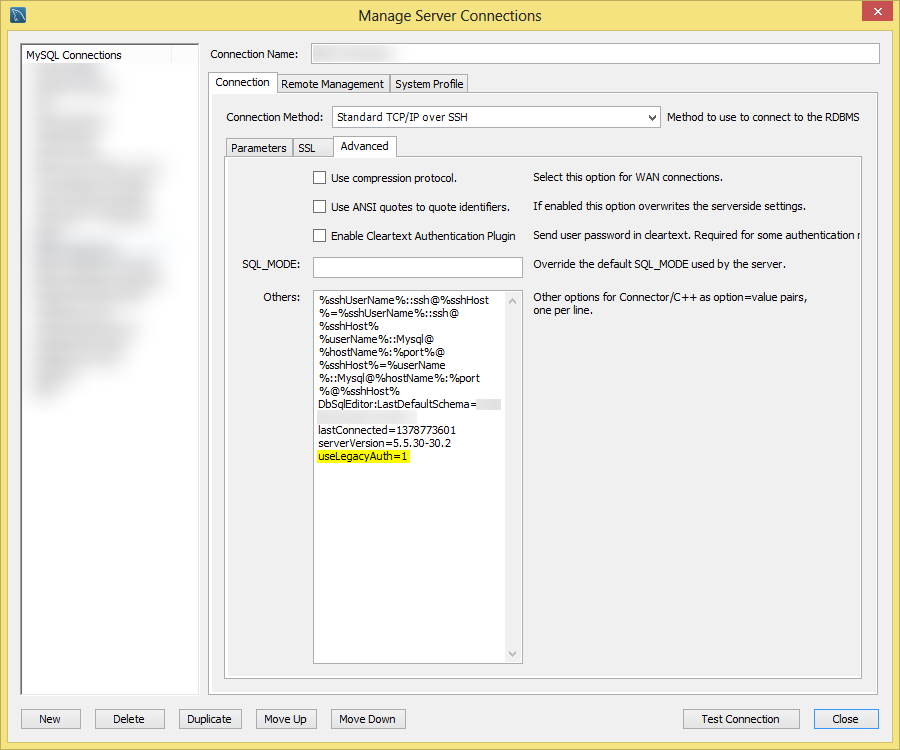
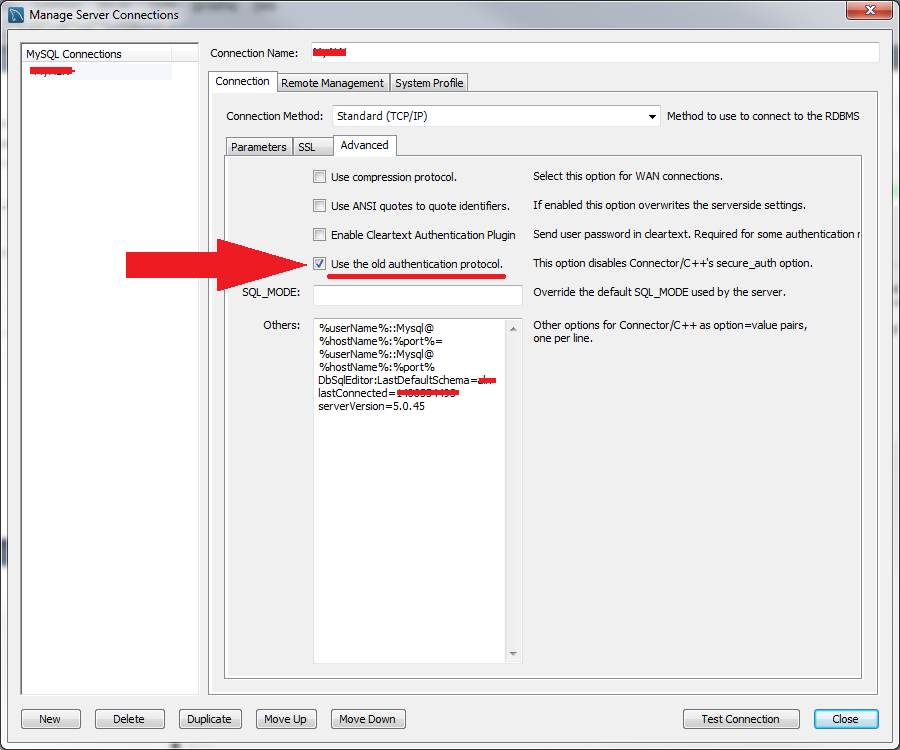
Another solution has been advised that you have to tell MySQL WorkBench 6.0 to "use the old authentication protocol":
• For versions before 6.0.7
• For versions after 6.0.7
Method #3 (Recommended):
Do not use MySQL WorkBench!!! Seriously, your pride will slow you down or get you sacked! Instructions:
- Go to Google Search
- Search for "Free MySQL database manager" (preferably add the keyword "portable")
- Avoid links to MySQL Workbench and download an alternative.
Job done without making any changes to the LIVE environment!
A dirty fix is (works with workbench 6.2.4):
wb_admin_export.py can be modified by inserting params.append("--skip-secure-auth") just before the mysqldump is called.
Had the same problem, switching to HeidiSQL resolved for me as well...Hopefully Oracle will take care of this issue in Workbench.
For me method #1 worked well.
I was migrating webpage (some CMS) and forum (PHPBB) to another hosting provider.
First I connected with MySQL Workbench with fix from method #2. Then I run the script. And then I could dump database and import to new one.
In export I had to uncheck "lock tables". Also in import I had to remove SQL query "creata database" and edit "use database" to new one.
Hope that will help someone.
Well, the problem persists in MySQL Workbench v6.7.1, the latest available as I write.
I'm using SQL Maestro for MySQL for other reasons, and find that its Backup command works without error.
Se agradece la ayuda, HeidiSQL sirve !!!
Saludos !!!