What?
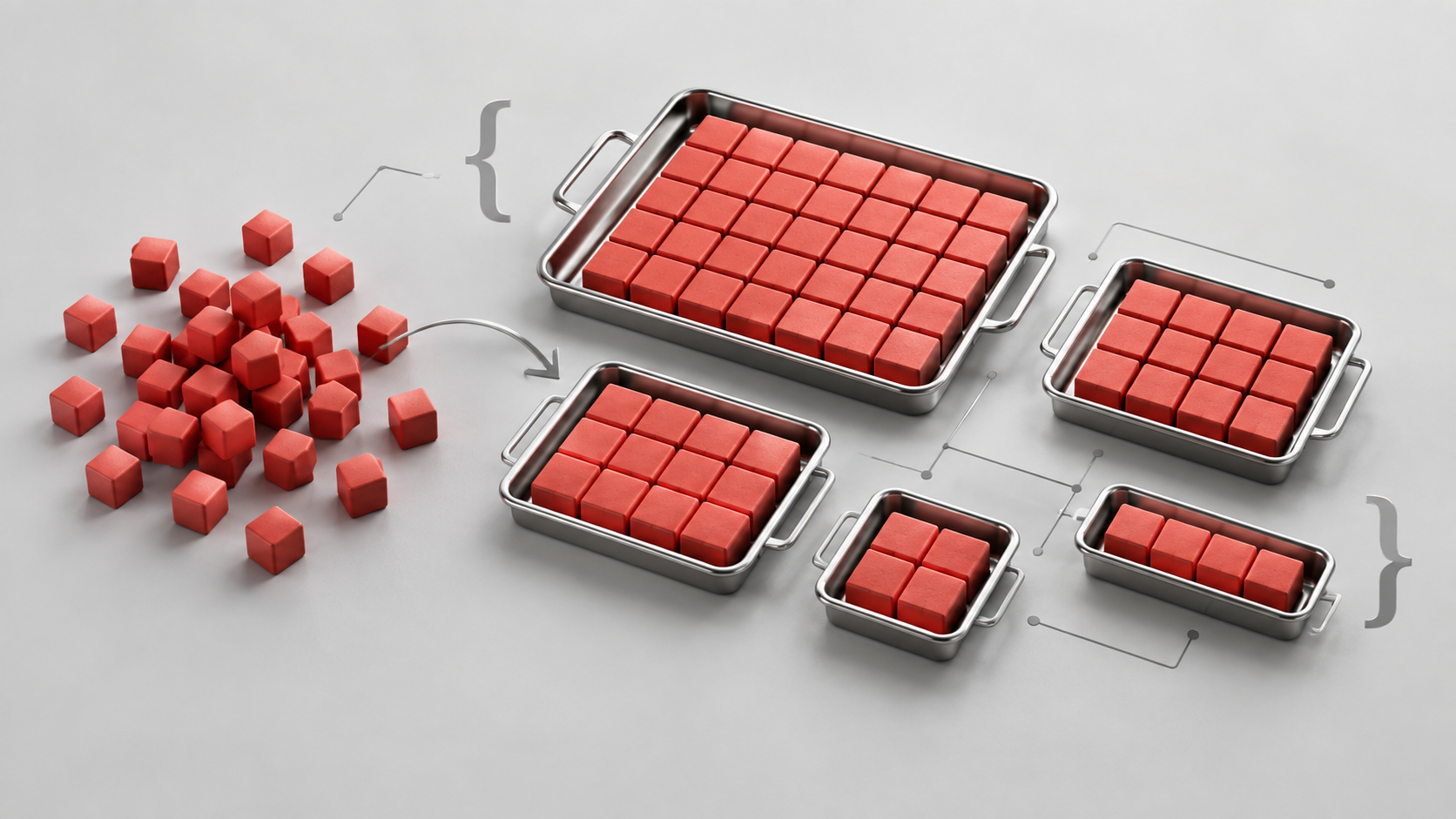
A function to calculate how many trays of each available size are needed for a requested number of portions. Pass in the portion count and a list of tray capacities, and fn_CalculatePortionCount returns a map of tray sizes to quantities.
The important detail is what “best” means: first minimise surplus capacity, then minimise the number of trays. An exact fit wins whenever one is possible, even if it takes more trays than an oversized alternative.
This article explains the supplied proposed correction dated 18 September 2026, which replaces last-digit exceptions with a search for the optimal allocation.
Why?
Dividing by the largest tray size looks like a reasonable starting point, but the remainder is where things get awkward. With capacities of 2, 5, 10 and 20, an order for 23 portions can be packed exactly:
10 + 5 + 2 + 2 + 2 + 2 = 23That is six trays. A 20-portion tray and a 5-portion tray would use only two trays, but provide capacity for 25 portions. This function chooses the exact allocation because avoiding spare capacity is the first priority.
There is a second problem with always taking the largest size that fits. With sizes 1, 3 and 4, a greedy calculation for 6 portions gives 4 + 1 + 1. The better exact allocation is 3 + 3. Both have zero surplus, but the second uses fewer trays.
A general search handles both cases without building a growing collection of exceptions for particular totals.
How?
Inputs and returned values
map fn_CalculatePortionCount(int p_TotalCount, list p_TraySizes)| Input | Meaning |
|---|---|
p_TotalCount | A non-negative whole-number portion count. |
p_TraySizes | Available positive whole-number capacities. Numbers and numeric text are accepted, and duplicate sizes are removed. |
The function assumes an unlimited supply of each listed tray size. It calculates capacity and quantities; it does not model tray dimensions, prices or stock availability.
A successful result uses text keys for tray sizes and numeric values for quantities:
{"10":1,"5":1,"2":4}Read that as one size-10 tray, one size-5 tray and four size-2 trays. Only positive quantities are included. The function inserts entries in descending size order, although downstream consumers should identify sizes by key rather than depend on display order.
1. Validate and normalise the inputs
Missing or negative totals return an error map. A total of zero immediately returns an empty map, before validating tray sizes.
For a positive total, the list must contain at least one valid size. Each entry is converted to trimmed text, then a decimal, then a whole number. Comparing the decimal and whole-number values rejects fractional capacities instead of silently rounding them. Null entries, zero, negative sizes and values that cannot be converted also produce an error.
Normalising before removing duplicates means 2, "2" and " 2 " represent the same capacity. It also ensures sorting compares numbers. Zoho documents that sort(false) sorts a list in descending order, and that mixed data types can cause sorting to return null. Zoho: sorting lists.
2. Handle a single available size directly
When only one unique size remains, there is no combination to search for. Divide the requested total by that size and round up:
v_TrayCount = (p_TotalCount / v_LargestSize).ceil().toLong();For 23 portions and size 2, the answer is 12 trays, providing capacity for 24 portions. One spare place is unavoidable.
3. Reduce large totals before searching
For multiple sizes, the function can set aside some largest-size trays before calculating the remainder. This is a proven lower bound on how many large trays an optimal solution needs.
Let L be the largest size and S the second-largest size. A minimum-tray packing for a fixed capacity uses fewer than L smaller trays. To see why, consider any L smaller trays and their running totals modulo L, including the initial zero. Two of those totals must have the same remainder. The trays between them therefore sum to a multiple of L, and replacing them with size-L trays preserves capacity while reducing tray count.
The smaller trays can therefore contribute at most:
(L - 1) * SWith sizes 2, 5, 10 and 20, that limit is 19 * 10 = 190. For 1,000 portions, the function reserves ceil((1000 - 190) / 20) = 41 large trays, leaving 180 portions to search. The search can still allocate more large trays: here it finds another nine, producing 50 size-20 trays overall.
The argument also applies when the best capacity exceeds the request: that solution still has to use the fewest trays for its chosen capacity.
4. Find the first reachable capacity
The remaining calculation uses dynamic programming. For each capacity, the function records the fewest trays needed to make that capacity exactly, plus the last tray size chosen to reach it.
best[0] = 0
best[amount] = minimum of best[amount - size] + 1
               across sizes with a reachable previous amount
Two maps hold these results: m_BestCount stores the counts and m_ChosenSize stores the choices. The code visits capacities in ascending order and stops at the first reachable capacity at or above the remainder target. That gives minimum surplus; the stored count gives minimum trays at that capacity.
The upper search bound is v_Target + v_SmallestSize - 1. Filling entirely with the smallest size always gives a capacity in that interval, so a larger overshoot is unnecessary.
The repeated "x," string creates a list with indices from zero to the upper bound. The function uses those indices as candidate capacities. Zoho’s for each index documentation explains this list-index iteration.
5. Reconstruct and check the answer
Starting at the selected capacity, the function reads the chosen tray, increments its quantity and subtracts its size. It repeats until the remainder reaches zero, then combines those quantities with the large trays already reserved.
Before returning, it checks that reconstruction finished, that the packed capacity equals the calculated capacity, and that the request is covered. These checks help catch inconsistent results; the search itself establishes the optimisation.
Worked examples
The following examples use sizes {2,5,10,20} unless stated otherwise.
| Portions | Returned map | Capacity | Trays | Surplus |
|---|---|---|---|---|
| 0 | {} | 0 | 0 | 0 |
| 1 | {"2":1} | 2 | 1 | 1 |
| 3 | {"2":2} | 4 | 2 | 1 |
| 9 | {"5":1,"2":2} | 9 | 3 | 0 |
| 18 | {"10":1,"2":4} | 18 | 5 | 0 |
| 23 | {"10":1,"5":1,"2":4} | 23 | 6 | 0 |
| 42 | {"20":2,"2":1} | 42 | 3 | 0 |
| 23, using only {2} | {"2":12} | 24 | 12 | 1 |
The 42-portion example is a useful regression case: two size-20 trays leave two portions, which need one size-2 tray. The supplied change history records an earlier incorrect result of {"20":2,"2":21}, which would provide capacity for 82 portions.
Calling the function
For a Zoho Creator custom function with this namespace, a caller can follow this pattern. Adapt the call syntax to the Zoho application hosting your function.
m_Allocation = thisapp.Default.fn_CalculatePortionCount(23,{2,5,10,20});
if(m_Allocation.containKey("error"))
{
    info m_Allocation.get("error");
}
else
{
    for each v_Size in m_Allocation.keys()
    {
        info "Tray size " + v_Size + ": " + m_Allocation.get(v_Size);
    }
}
Check for error before processing the map as tray quantities. Errors and successful allocations share the same return type. For example, a positive request with an empty size list returns {"error":"At least one tray size is required."}.
Full function
The supplied function is reproduced below without changes, including its revision history and proposed-correction label.
map fn_CalculatePortionCount(int p_TotalCount, list p_TraySizes)
{
	/* *******************************************************************************
	Function:       map fn_CalculatePortionCount(int p_TotalCount, list p_TraySizes)
	Label:          fn_CalculatePortionCount
	Trigger:        Used by other scripts to calculate a portion breakdown
	Purpose:        Pack the requested portions using only the available tray sizes.
	                First minimise surplus capacity, then minimise the number of trays.
	Inputs:         Non-negative total count; list of positive whole-number tray sizes.
	                Sizes may be numbers or numeric text. Unlimited trays are assumed.
	Outputs:        Map of tray size (text) to tray quantity (number).
	                Zero portions returns an empty map.
	                Invalid input or a calculation limit returns an "error" key.
	                Callers must check for "error" before processing tray quantities.

	Date Created:   2024-02-29
	                - Initial release.
	Date Modified:  2025-01-28
	                - Added p_Type; handled totals of 1 and 3; reduced loops.
	Date Modified:  2025-02-14
	                - Removed trays and rows to improve performance.
	Date Modified:  2025-03-12
	                - Allowed size 1; second parameter changed to a list of sizes.
	Date Modified:  2026-02-12
	                - Added a calculation sanity check.
	Date Modified:  2026-03-27
	                - Fixed 42 returning {"20":2,"2":21}.
	Date Modified:  2026-09-18
	                - Replaced last-digit exceptions with an exact minimum-tray search.
	                - Round up only when an exact fit is impossible.
	                - Normalise sizes, remove duplicates and reject invalid values.
	                - Optimise large totals by allocating provably necessary large trays.
	                - Keep the existing successful return format.

	Examples:       9,  {2,5,10,20} -> {"5":1,"2":2}
	                18, {2,5,10,20} -> {"10":1,"2":4}
	                23, {2,5,10,20} -> {"10":1,"5":1,"2":4}
	                23, {2}         -> {"2":12} (capacity 24)
	******************************************************************************* */
	m_Output = Map();
	m_Error = Map();
	if(p_TotalCount == null)
	{
		m_Error.put("error","Total portion count is required.");
		return m_Error;
	}
	if(p_TotalCount < 0)
	{
		m_Error.put("error","Total portion count cannot be negative.");
		return m_Error;
	}
	if(p_TotalCount == 0)
	{
		return m_Output;
	}
	if(p_TraySizes == null)
	{
		m_Error.put("error","At least one tray size is required.");
		return m_Error;
	}
	// Convert before comparing: the numbers 2 and 20 differ from the text "2" and "20".
	l_SortedSizes = List();
	for each  v_Size in p_TraySizes
	{
		if(v_Size == null)
		{
			m_Error.put("error","Tray sizes cannot contain null values.");
			return m_Error;
		}
		try
		{
			v_SizeDecimal = v_Size.toString().trim().toDecimal();
			v_SizeNumber = v_SizeDecimal.toLong();
		}		catch (e)
		{
			m_Error.put("error","Invalid tray size: " + v_Size.toString());
			return m_Error;
		}
		if(v_SizeNumber <= 0 || v_SizeDecimal != v_SizeNumber)
		{
			m_Error.put("error","Tray sizes must be positive whole numbers: " + v_Size.toString());
			return m_Error;
		}
		if(!l_SortedSizes.contains(v_SizeNumber))
		{
			l_SortedSizes.add(v_SizeNumber);
		}
	}
	if(l_SortedSizes.size() == 0)
	{
		m_Error.put("error","At least one tray size is required.");
		return m_Error;
	}
	l_SortedSizes = l_SortedSizes.sort(false);
	v_LargestSize = l_SortedSizes.get(0);
	v_SmallestSize = l_SortedSizes.get(l_SortedSizes.size() - 1);
	// One available size: round up directly. For 23 portions and size 2, return 12 trays.
	if(l_SortedSizes.size() == 1)
	{
		v_TrayCount = (p_TotalCount / v_LargestSize).ceil().toLong();
		m_Output.put(v_LargestSize.toString(),v_TrayCount);
		return m_Output;
	}
	// Reduce large totals without changing the optimal answer.
	// If L is the largest size, an optimal exact packing uses fewer than L smaller
	// trays: among L smaller trays a subset sums to a multiple of L, and replacing
	// that subset with size-L trays reduces the tray count.
	// Smaller trays therefore contribute at most (L - 1) * second-largest size.
	v_SmallerCapacityLimit = (v_LargestSize - 1) * l_SortedSizes.get(1);
	v_BulkTrays = 0;
	v_Target = p_TotalCount;
	if(p_TotalCount > v_SmallerCapacityLimit)
	{
		v_BulkTrays = ((p_TotalCount - v_SmallerCapacityLimit) / v_LargestSize).ceil().toLong();
		v_Target = p_TotalCount - v_BulkTrays * v_LargestSize;
	}
	// An all-smallest-tray packing proves that surplus need never reach the smallest size.
	v_MaxAmount = v_Target + v_SmallestSize - 1;
	// This is a search-size guard, not a limit on the original portion count.
	// With any subset of {1,2,5,10,20}, this search remains below 200 amounts.
	if(v_MaxAmount > 10000)
	{
		m_Error.put("error","These tray sizes require a larger calculation than this function supports.");
		return m_Error;
	}
	v_StepText = "x,".repeat(v_MaxAmount) + "x";
	l_Steps = v_StepText.toList(",");
	m_BestCount = Map();
	m_ChosenSize = Map();
	m_BestCount.put("0",0);
	v_SelectedAmount = -1;
	// For each capacity, remember the fewest trays needed to make that capacity exactly.
	// Stop at the first reachable capacity at or above the requested remainder.
	for each index v_Amount in l_Steps
	{
		if(v_Amount > 0)
		{
			v_BestCount = v_MaxAmount + 1;
			v_BestSize = 0;
			for each  v_PortionSize in l_SortedSizes
			{
				if(v_PortionSize <= v_Amount)
				{
					v_PreviousAmount = v_Amount - v_PortionSize;
					v_PreviousCount = m_BestCount.get(v_PreviousAmount.toString());
					if(v_PreviousCount != null)
					{
						v_CandidateCount = v_PreviousCount + 1;
						if(v_CandidateCount < v_BestCount)
						{
							v_BestCount = v_CandidateCount;
							v_BestSize = v_PortionSize;
						}
					}
				}
			}
			if(v_BestSize > 0)
			{
				m_BestCount.put(v_Amount.toString(),v_BestCount);
				m_ChosenSize.put(v_Amount.toString(),v_BestSize);
			}
		}
		if(v_Amount >= v_Target && m_BestCount.get(v_Amount.toString()) != null)
		{
			v_SelectedAmount = v_Amount;
			break;
		}
	}
	if(v_SelectedAmount < 0)
	{
		m_Error.put("error","No complete tray allocation could be calculated.");
		return m_Error;
	}
	// Reconstruct the selected packing and include the large trays already allocated.
	m_Combo = Map();
	if(v_BulkTrays > 0)
	{
		m_Combo.put(v_LargestSize.toString(),v_BulkTrays);
	}
	v_Remainder = v_SelectedAmount;
	for each  v_Step in l_Steps
	{
		if(v_Remainder == 0)
		{
			break;
		}
		v_ChosenSize = ifnull(m_ChosenSize.get(v_Remainder.toString()),0);
		if(v_ChosenSize <= 0)
		{
			m_Error.put("error","The tray allocation could not be reconstructed.");
			return m_Error;
		}
		v_Key = v_ChosenSize.toString();
		m_Combo.put(v_Key,ifnull(m_Combo.get(v_Key),0) + 1);
		v_Remainder = v_Remainder - v_ChosenSize;
	}
	// Return positive quantities in descending size order and verify total capacity.
	v_PackedCapacity = 0;
	for each  v_PortionSize in l_SortedSizes
	{
		v_Quantity = ifnull(m_Combo.get(v_PortionSize.toString()),0);
		if(v_Quantity > 0)
		{
			m_Output.put(v_PortionSize.toString(),v_Quantity);
			v_PackedCapacity = v_PackedCapacity + v_PortionSize * v_Quantity;
		}
	}
	v_ExpectedCapacity = v_BulkTrays * v_LargestSize + v_SelectedAmount;
	if(v_Remainder != 0 || v_PackedCapacity != v_ExpectedCapacity || v_PackedCapacity < p_TotalCount)
	{
		m_Error.put("error","The tray allocation failed its final capacity check.");
		return m_Error;
	}
	return m_Output;
}
Limits and practical notes
The 10000 guard applies to the upper bound of the reduced capacity search, not the original portion count. With multiple sizes drawn from {1,2,5,10,20}, that bound stays below 200; a single unique size takes the direct rounding branch. Larger or less convenient size combinations can exceed the guard and return an error.
For A searched capacities and K unique sizes, the search takes approximately O(A × K) work and O(A) storage, excluding input normalisation and sorting. The guard bounds the search but does not guarantee that every accepted input fits every Zoho application's execution limits.
When more than one combination has the same capacity and tray count, the descending size scan and strict “better count” comparison determine which is retained. There is no additional price, inventory or tray-preference objective.
The worked allocations and bulk-reduction logic were checked using a separate Python model against an unreduced dynamic-programming search across 234,300 cases. This was an algorithm check, not execution of the Deluge function inside Zoho. Compile and run it in the intended Zoho application before relying on its runtime behaviour.
Discussion
Comments
Questions, corrections and useful additions are reviewed before appearing here.
Discussion Newest first
No comments yet. Start the discussion.