So I'm revisiting this component for the third time (previously known as "downloadtracker" and "joesdownloadtracker"); for ages I have needed a replacement for the download component managers for Joomla! CMS. I've tried all the following for about a year each and these are my reviews/opinions:
Phoca Download
Good compatibility and actively developed. Unfortunately hacked on more than one occasion. Conflicts with its built-in stylesheet and my RocketTheme template.
RokDownloads
by commercial Joomla! template and extension providers,
RocketTheme. They don't use the standard Joomla! admin component tools and instead have built a back-end Joomla! administration component that only works in MS Internet Explorer; any database hacks or FTP file uploads immediately corrupt this component. The component itself is sort of good, but file description has very little space allocated on your website and RocketTheme templates would create a style that was hard to customize.
Remository
Really liked this and used for the best of 2 years. But 1000 downloads in 10 days caused it to crash my Joomla! website. It was very plain and basic, needed tweaking to get rid of adverts and to integrate with a website's template which could be quite tiring. Following the crash, database performance was at an all time low and analysis revealed it be incorrectly designed. Interestingly enough there is a Bug Tracker for Remository that they use (not Joomla! integrated though?).
Joes Bug Tracker (JBT)is a Joomla! CMS component created by JoelLipman.Com as a download manager and bug tracker all in one.
I needed a solution that was FREE but was good enough to replace RokDownloads, Phoca Download, or Remository. Something like "JoomBug" but this was commercial and reviews weren't positive. "Zerosoft ZJ Downloads" looked just like remository and lacked the features I needed. There were also standard features I wanted that didn't exist in the other systems. I wanted minimal code and leave the comments/videos/pdf to be handled by existing Joomla! CMS features. I also needed a component which isolated the download functions external to Joomla! for performance purposes.
What makes this one different to others, is that it it treats each file like a project. Combining all file versions, descriptions, statistics, documentation and changelog under each project. This means you only update one documentation/changelog page which will be a Joomla! article. The Joomla! article will support whatever content based on however your Joomla! website is configured. My day job uses Team Foundation Server, Agile/Jira and even a bespoke project management system I wrote; so the brief for this component had to include features I've used all along but in their most basic form.
OPTIONS/FEATURES
- All versions combined under one entry (project).
- Links to Joomla articles for documentation and changelog.
- Share/Like/Review/Feedback by JComments or Facebook.
- Uses MD5 Hash/Sum and numerical post/get data (anti-SQL-injection?).
- Minimal typing (for click-happy people like me).
- Currently only allows for back-end Joomla! administration.
- Automatic version control
- Automatic changelogs based on support tickets/development requests.
INSTALLATION
- Download the ZIP file from my website.
- Login to your Joomla! Administrator Panel.
- Go to "Extensions" > "Install/Uninstall".
- Click on the "Upload" button and select the file you downloaded in step #1.
GLOSSARY/TERMS/DEFINITIONS
- File = A file which is available for download from your site, each version is its own file.
- Project = A project or solution will contain all files and its versions for this particular project on one page.
CHANGELOG
v? (?)
- Support for Joomla! FTP upload.
- File Download: Payment Options
--- merchant ID,
--- amount
--- currency,
--- paypal, google,
--- order ref,
--- download limit,
--- download period,
--- thank you message


v0.1 (06/07/2011)
- Added Admin Section: Settings/Configuration
--- Component landing page customization (add note to see Component Style).
--- Storage folder for files (can be outside of Joomla! for performance).
--- Protect storage folder (only accessed through Joomla!?).
--- Integrate JComments/Integrate Facebook Comments (for Product Reviews/Feedback).
--- Auto-increment minor/major version number / Assign naming convention.
--- Date Format for files (mysql format please cos unix will take my server's one).
--- Enable Captcha to download?
--- Specify News category (to tell everyone about your new projects)
--- Specify high download rate or total downloads as "HOT"
--- Specify number of days a file is "NEW"
--- Specify number of days a file is "UPDATED"

- Added Admin Section: Manage Categories
--- Category Title
--- Category Parent
--- Create Date / Modified Date / Expired Date
--- Order by / Order az
--- Display all reviews/comments (or just for this version)
--- Display/Access based on User level

- Added Admin Section: Manage Projects (each include all versions per entry)
--- Project Name
--- Category Name (dropdown of categories)
--- License (textarea / option require or not)
--- Specify Joomla! Article (for General Description)
--- Specify Joomla! Article (for Documentation)
--- Specify Joomla! Article (for ChangeLog)
--- Specify URL (for Support)
--- Specify URL (for Demo)
--- Like/Share in Facebook
--- Download count (total of all versions)
--- Permanent URL for this page (must ignore SEF, eg. "?option=com_joesbugtracker&id=")
--- Display/Access based on User level
--- Free-Text Changelog or Auto-generate

- Added Admin Section: Manage Files (each version is a separate file)
--- Filename (as it is on disk)
--- Title (friendly title of this download)
--- Version (to override auto-versioning)
--- Version status (stable, RC, beta, alpha, etc)
--- Parent Project Name
--- Specify Download URL (or auto find?)
--- Author / developer / team name (Free text / associated to uploader)
--- Create Date / Modified Date / Expired Date
--- File Size (as it is on disk)
--- Enable MD5 Hash/Sum checks
--- Version Notes (applies to this particular version)
--- Icon (let me put Joomla 1.6 or Joomla 1.5 icons :c)
--- Images (more than one - can add rel for lightboxes - include captions?)
--- Restrict to Registered/Special/Joomla! user (allows for dev versions not released to public - overrides category restriction)
--- Display/Access based on User level
--- Joomla! CMS check-in/check-out supported.
--- Download count (read-only? - would apply to just this version - total showing on general page)
--- Rating (read-only? - modified by front-end votes)
--- Dependencies

- Added Admin Section: Manage Support Tickets / Development Requests
--- Bug/Issue/Development Request title
--- Bug/Issue/Development Request description
--- Bug/Issue/Development Request category type (see dropdown options)
--- Assigned to developer Name
--- Originator/Source (Self, Email, Phone, System)
--- Customer Name
--- Customer Ref/JUser ID (Joomla! registered user or email address?)
--- Priority (High, Medium, Low - configurable in settings)
--- Impact (free-text message by developers -> who does this affect?)
--- Progress Status (acknowledged, testing, qa [=awaiting customer], resolved, postponed)
--- Progress Indicator (red, green, orange)
--- Create Date / Modified Date / Due Date / Expected Completion Date / Expired Date
--- Display status for: public, registered, special
--- Fix Included in file release version (link to version file ID)

- Added Admin Section: Dropdown Options
--- Priority Values (immediate, high, medium, low)
--- Progress Status Indicators (red, green, orange)
--- Progress Status Types (received, acknowledged, on-hold, in progress, awaiting customer [uat], closed)
--- Version Status Types (milestone, alpha, beta, test, dev, qa, RC, stable)
--- Support Ticket Categories
(nice to have, need to have, development, investigation, maintenance, bug fix, enhancement)

- Added Admin Section: Component Stylesheet
--- Category Layout (text, text with images, include description).
--- Display News Titles or Introtext?
--- File details to display (based on User Level?)
--- Textarea to edit the CSS

- Added Admin Section: Statistics
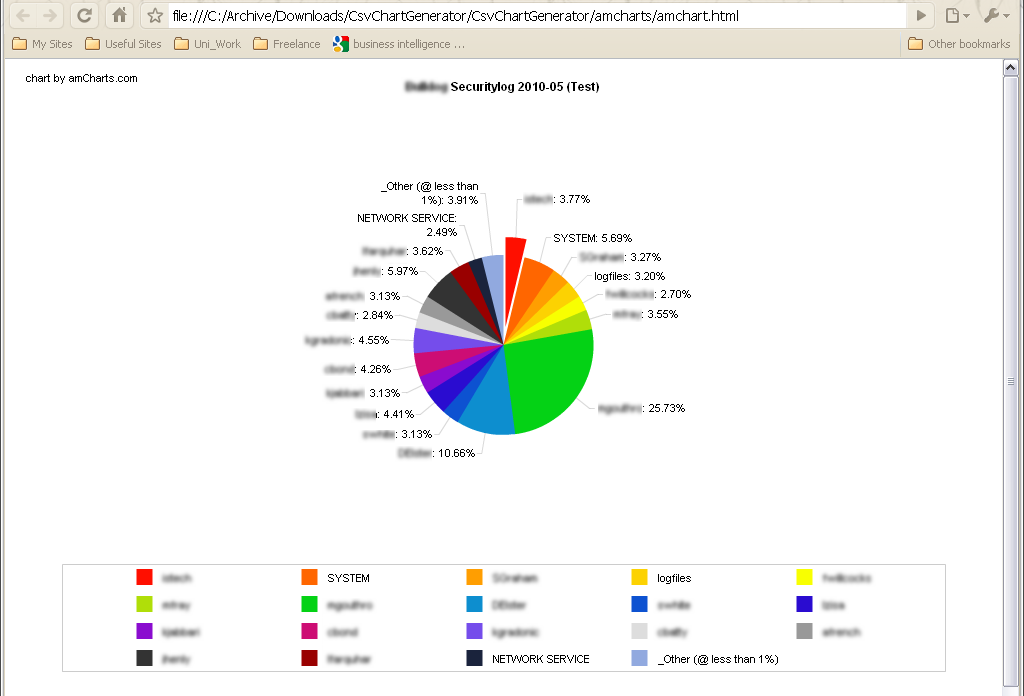
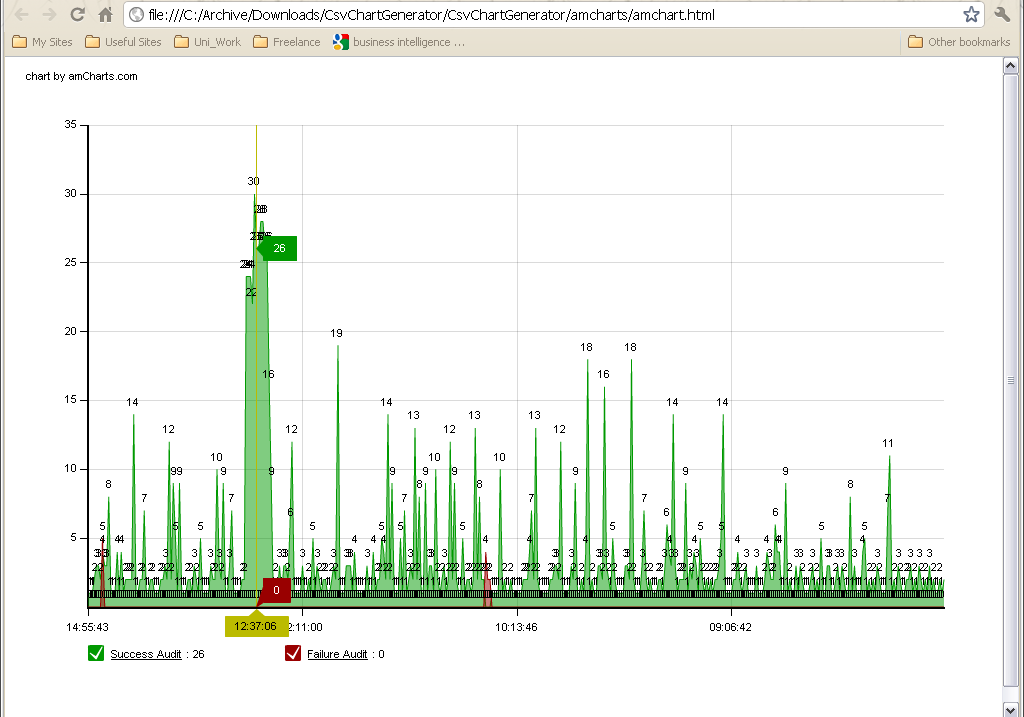
--- Report on most viewed
--- Report on most downloaded
--- Report on most user downloaded
--- Report on highest download rates
--- Report on least viewed
--- Report on lowest rated
--- Report on highest rated
--- Report on development per project (GANTT?)
--- Report on server bandwidth (security concerns)
--- Use flash charts
--- Publish to URL (for public/registered access)
--- Export to Excel (Joomla! admins only)

- Added Admin Section: Help/About
--- Link to documentation @ joelLipman.com/?option=com_content&view=article&id=516