

Include a carriage return in a column heading
- Category: SQL Server
- Hits: 38492
- MS SQL Server 2008 R2
- MS Windows 7 Enterprise (Client)
- MS Excel 2010
What?
A really quick note on how to insert a carriage return or new line into the column name/alias (the header). It might seem trivial but these little aesthetic changes done at the database level can save some time.
Why?
I have an Excel report which dynamically gets its content from a data source located on a database on the other side of the world. I want the header in the column "Academic Week" to break across two lines so that the column doesn't expand to the width of "Academic Week" and instead expands to the width of the word "Academic".
What I have:
Academic Week    Monday      Tuesday     Wednesday   Thursday    Friday
---------------- ----------- ----------- ----------- ----------- -----------
1                14-Jul-2014 15-Jul-2014 16-Jul-2014 17-Jul-2014 18-Jul-2014
2                21-Jul-2014 22-Jul-2014 23-Jul-2014 24-Jul-2014 25-Jul-2014
...
What I want:
Academic
Week      Monday      Tuesday     Wednesday   Thursday    Friday
--------- ----------- ----------- ----------- ----------- -----------
1         14-Jul-2014 15-Jul-2014 16-Jul-2014 17-Jul-2014 18-Jul-2014
2         21-Jul-2014 22-Jul-2014 23-Jul-2014 24-Jul-2014 25-Jul-2014
...
How?
To do this in a select query resultset, you insert the special character references "CHAR(10)" [line feed] and "CHAR(13)" [carriage return] but to do this in the name of the column heading, the answer is a much simpler one,
Connection Strings for SQL Server
- Category: SQL Server
- Hits: 59017
MySQL Connector/Net
Type: .NET Framework Class LibraryUsage: MySql.Data.MySqlClient.MySqlConnection
Manufacturer: MySQL
Standard
Server=myServerAddress;Database=myDataBase;Uid=myUsername;Pwd=myPassword;Default port is 3306.
Specifying port
Server=myServerAddress;Port=1234;Database=myDataBase;Uid=myUsername;Pwd=myPassword;
Deserialization and cannot checkout files in TFS
- Category: Team Foundation Server
- Hits: 14370
So I get back from annual leave and I can't check-out / check-in any files in a Visual Studio 2010 project. All my colleagues can.
What?
Rather silly I know and the solution is one of those obvious ones for those that know how but for those who can't remember, then it can take a while.
How?
How to change local folder for TFS
- Category: Team Foundation Server
- Hits: 58289
I installed Business Intelligence Development Studio 2008 (BIDS) and connected it to a Team Foundation Server 2010 (TFS) instance and set my working local folder to my home directory. When the rest of my colleagues installed it however, they decided to use a common local directory for all workstations so configuration files would not need to be modified.
So?
Once installed, my BIDS install would continuously check-out files and store these in the home directory. I tried the general settings (Tools > Options) but to no avail.
How?
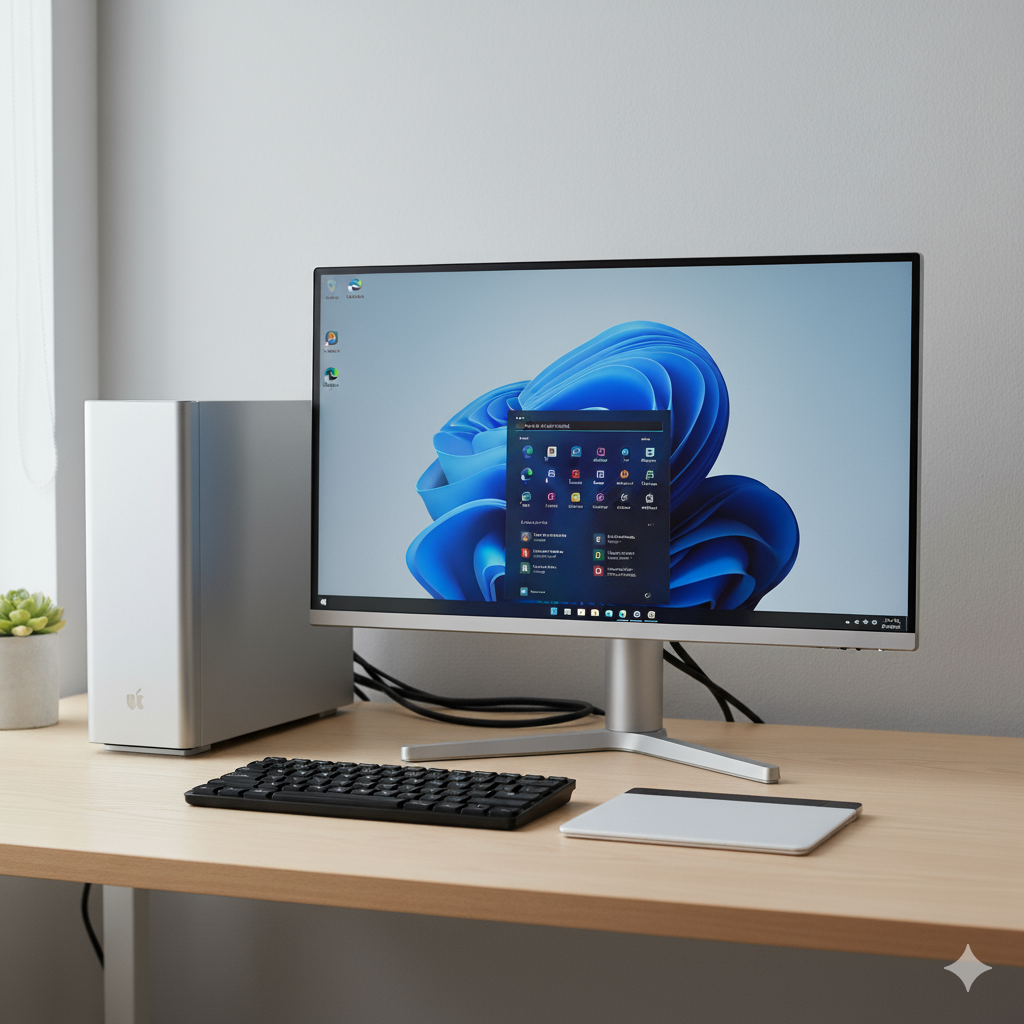
Apple Magic Trackpad with Windows 11 Intel
- Category: Windows OS
- Hits: 23607
A quick article to get an Apple Trackpad working with an MS Windows 11 Pro (Intel 64) workstation.
Why?
I forgot my work Macbook at home and rather than drive the commute back and forth again, I took my previous biscuit box out (a Dell MFF Optiplex 7070) and spent 30 minutes connecting monitors and the logitech receiver for my keyboard (which was a Logitech keyboard for Windows - keys switched for the Mac but reverted for the biscuit box). Running MS Windows 11 pro already. Wifi was ok to connect and my Microsoft Office apps, well it's a Windows box so no issues there either... Webcam and headset previously connected to my docking station weren't too much of an issue either as MS Windows detected these without needing software.
Long rant to justify why I didn't want to drive home (~20 to 40 minutes commute) and pick up my laptop.
How?
The work and research for this was all in one YouTube video by LinxHype (https://www.youtube.com/watch?v=J_z9-rE_6zI) so I don't want to take credit for it. There were other videos using the GitHub repo: GitHub / imbushuo / mac-precision-touchpad but those instructions seemed only for those on an AMD or ARM processor. The process demo'd by LinxHype is the one that worked for me.
Windows OS: Alt Codes / Symbols / Special Characters
- Category: Windows OS
- Hits: 34830
This is a simple article to demonstrate how to type special characters not found on your keyboard or on a Qwerty UK/US keyboard layout.
Why?
Being able to type international characters from other alphabets is necessary when dealing with languages other than English. Preserving files in unicode or utf-8 encoding will help but there will be times when you have lost the formatting and get weird question mark characters instead such as: .
How?
Ensure you are using the numbers on your numeric keypad and NOT the numbers at the top of your keyboard for the following steps. Also check that you have "Num Lock" on/enabled. Typing a special character is 3 easy steps:
- Hold down the ALT key (preferably the one on the left of the spacebar and not the Alt Gr often found on the right of the spacebar)
- then press the numbers in the numeric pad (while still holding down the ALT key),
- then let go of the ALT key.
Windows 10: Shortcut Apps to Settings
- Category: Windows OS
- Hits: 48653
- Microsoft Windows 10 Pro v10.0.18362
This is a list of apps that if run via the run command, or used in a desktop shortcut, or that you want to include in automation software such as AutoHotkey, opens any specific Windows OS settings page. This does not make the change to the setting itself, just displays it to the user for them to make the choice.
Why?
I needed a command that can be run from the command-line in an AutoHotkey app to open the notifications page of the Windows 10 Settings panel to allow users to enable/disable notifications. Why write this article when there's a perfectly ok post on the Microsoft website? Well I could bookmark that page or save myself a click...
How?
To test any of the following, type the windows key and select "Run..." ( + R). Then type the value in the 2nd column "App to Run" then OK to run it:
Windows Live Mail Error ID: 0x8DE00005
- Category: Windows OS
- Hits: 24371
- Windows Live Mail 2012
A quick article on how to update the Microsoft Live Server URL for Hotmail using Windows Live Mail. Well how to deactivate an account and set up a new one in Windows Live Mail. If you used IMAP all along then the new account will have all your mail.
The error
Unable to send or receive messages for the Hotmail (someone) account.

Subject 'your Microsoft Issue'
Server Error: 3219
Windows Live Mail Error ID: 0x8DE00005
Unable to send or receive messages for the Hotmail (someone) account.

Server Error: 3219
Server: 'https://mail.services.live.com/DeltaSync_v2.0.0/Sync.aspx'
Windows Live Mail Error ID: 0x8DE00005
How?
I don't remember the time when the Microsoft website became helpful but as they already have an article on this, I'm going to do a bunch of screenshots: