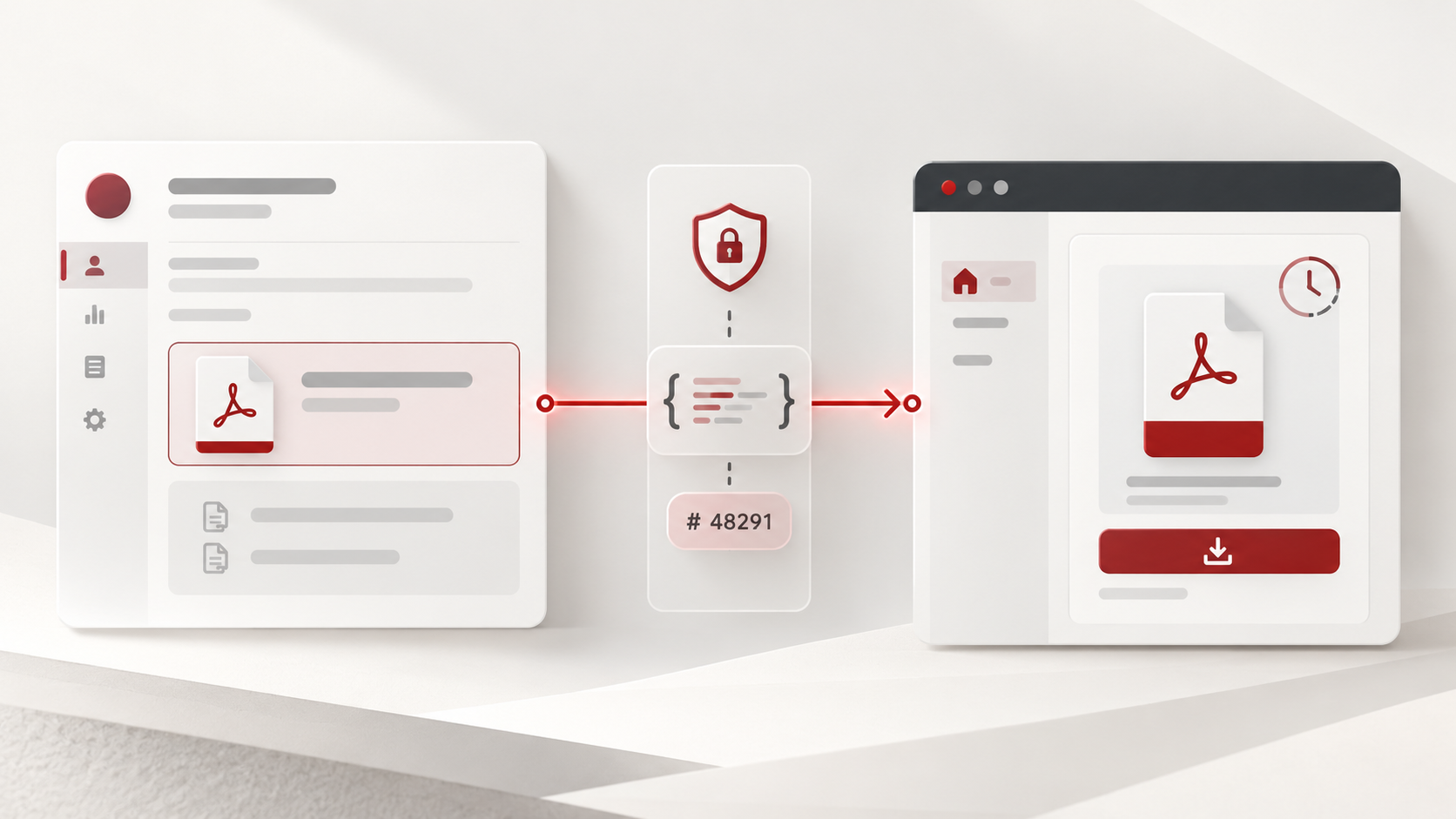
For Zoho services only


I'm currently part of a wider delivery team at Ascent Business Solutions, recognised as a leading Zoho Premium Solutions Partner in the United Kingdom.

Ascent Business Solutions support organisations with everything from targeted technical fixes through to full Zoho CRM implementations and long-term platform adoption. Working as a team rather than a one-person consultancy allows projects to move forward consistently, with access to the right skills at each stage.

The team I manage specialises in API integrations between Zoho and third-party finance and commerce platforms such as Xero, Shopify, WooCommerce, and eBay. Much of our work involves solving integration challenges that fall outside standard documentation, supporting new ideas, new sectors, and evolving business models.

Success is measured through practical outcomes and return on investment, ranging from scaling small operations into high-turnover businesses to delivering rapid gains through online payments, automation, and streamlined digital workflows.

If you are looking for structured Zoho expertise backed by an established consultancy, you can contact Ascent Business Solutions on 0121 392 8140 (UK), email info@ascentbusiness.co.uk, or visit https://www.ascentbusiness.co.uk.

Zoho Creator: Download File from ZohoCRM field type "File Upload" (not attachments)

What?
This is an article to demo some Deluge code on how to download a file that was uploaded in CRM in a custom module in field that was of type "File Upload".

Why?
Just to remind me where I went wrong, I have a client with ZohoCRM who upload a PDF (can be any file but is usually a PDF) to a custom module in their CRM; I then need the customer from the customer portal in a ZohoCreator app to be able to download this file.

How?
The trick to doing this is that actually you have to treat it as an attachment. As you may already know, when you queried CRM for that field, you received a JSON response somewhat similar to the following:
copyraw
// this is sample JSON with replaced IDs

  "My_CRM_File": [
    {
      "extn": "pdf",
      "is_Preview_Available": true,
      "download_Url": "/crm/org12345678901/specific/ViewAttachment?fileId=aaaabbbbccccddddeeeeffff1111222233334&module=CustomModule1&parentId=123456789012345678&creatorId=987654321098765432&id=234567890123456789&name=dummy1.pdf&downLoadMode=default",
      "delete_Url": "/crm/org12345678901/deleteattachment.do?attachmentid=234567890123456789&module=CustomModule1&id=125878000002717078&creatorId=987654321098765432&fromFileUploadField=true&nextStep=relatedlist&isajax=true&fieldId=123456789012345678&fromPage=edit",
      "entity_Id": 345678901234567890,
      "mode": "pdfViewPlugin",
      "original_Size_Byte": "13264",
      "preview_Url": "/crm/org12345678901/specific/ViewAttachment?fileId=aaaabbbbccccddddeeeeffff1111222233334&module=CustomModule1&parentId=123456789012345678&creatorId=987654321098765432&id=234567890123456789&name=dummy1.pdf&downLoadMode=pdfViewPlugin",
      "file_Name": "dummy1.pdf",
      "file_Id": "aaaabbbbccccddddeeeeffff1111222233334",
      "attachment_Id": "234567890123456789",
      "file_Size": "13.26 KB",
      "creator_Id": 987654321098765432,
      "link_Docs": 0
    }
  ],
  1.  // this is sample JSON with replaced IDs 
  2.   
  3.    "My_CRM_File": [ 
  4.      { 
  5.        "extn": "pdf", 
  6.        "is_Preview_Available": true, 
  7.        "download_Url": "/crm/org12345678901/specific/ViewAttachment?fileId=aaaabbbbccccddddeeeeffff1111222233334&module=CustomModule1&parentId=123456789012345678&creatorId=987654321098765432&id=234567890123456789&name=dummy1.pdf&downLoadMode=default", 
  8.        "delete_Url": "/crm/org12345678901/deleteattachment.do?attachmentid=234567890123456789&module=CustomModule1&id=125878000002717078&creatorId=987654321098765432&fromFileUploadField=true&nextStep=relatedlist&isajax=true&fieldId=123456789012345678&fromPage=edit", 
  9.        "entity_Id": 345678901234567890, 
  10.        "mode": "pdfViewPlugin", 
  11.        "original_Size_Byte": "13264", 
  12.        "preview_Url": "/crm/org12345678901/specific/ViewAttachment?fileId=aaaabbbbccccddddeeeeffff1111222233334&module=CustomModule1&parentId=123456789012345678&creatorId=987654321098765432&id=234567890123456789&name=dummy1.pdf&downLoadMode=pdfViewPlugin", 
  13.        "file_Name": "dummy1.pdf", 
  14.        "file_Id": "aaaabbbbccccddddeeeeffff1111222233334", 
  15.        "attachment_Id": "234567890123456789", 
  16.        "file_Size": "13.26 KB", 
  17.        "creator_Id": 987654321098765432, 
  18.        "link_Docs": 0 
  19.      } 
  20.    ], 

The most logical thinkers would say that you simply need the download_Url value and prepend the CRM base URL such as https://crm.zoho.com + v_download_Url... But that is incorrect, apparently you have to treat the field of type "File Upload" as an attachment despite it not being an attachment (or at least not found in the "Attachments" section of the CRM module).

The Solution
So as a quick overview, this is what I did:
  1. Create a ZohoCreator form (I'm calling mine in this example: Download File to hold the file and some other fields
    1. Owner Email (type: Email)
    2. FIle Name (type: Single Line)
    3. File Ref (type: Single Line)
    4. Expiry Date Time (type: Date-Time)
    5. File Download (type: File upload)
  2. Create a connection in the Creator app with the scope: ZohoCRM.modules.ALL (potentially you could try just using ZohoCRM.modules.Attachments.READ but at this point I couldn't be asked).
  3. Then publish the report of this form (eg. "Download File Report") and get the long publish key it returns you. eg.
    https://creatorapp.zohopublic.eu + zoho.appuri + report-perma/Download_File_Report/abcdefghijklmnopqrstuvwxyzABCDEFGHIJKLMNOPQRSTUVWXYZ0123456789abcdefghijklmnopqrstuvwxyzABCDEFGHIJKL
The Code to read, parse, create a holding record and generate a link for the customer portal user to click on:
copyraw
// accessing zoho.eu (not zoho.com) so adapt the 2 values
v_CreatorBaseUrl = "https://creator.zoho.eu";
v_ZohoApisDC = "https://www.zohoapis.eu";
//
// get field from CRM
l_ResultThisFile = ifnull(r_Row.get("My_CRM_File"),"-");
for each  m_ThisFile in l_ResultThisFile
{
    v_ThisFileCrmID = ifnull(m_ThisFile.get("file_Id"),"-");
    v_ThisFileName = ifnull(m_ThisFile.get("file_Name"),"-");
    v_ThisFileUrl = ifnull(m_ThisFile.get("download_Url"),"-");
    v_ThisFileAttachmentID = ifnull(m_ThisFile.get("attachment_Id"),"-");
    v_ThisFileSize = ifnull(m_ThisFile.get("file_Size"),"-");
    v_ExpiryTime = zoho.currenttime.addMinutes(10).toString("dd-MMM-yyyy HH:mm:ss");
    //
    // put your own Publish key here (publish the report holding the files to download and you will receive this key)
    v_PublishKey = "abcdefghijklmnopqrstuvwxyzABCDEFGHIJKLMNOPQRSTUVWXYZ0123456789abcdefghijklmnopqrstuvwxyzABCDEFGHIJKL";
    //
    // check if already exists (double-security: Email and File Ref must match)
    r_CreatorFile = Download_File[Owner_Email == v_ResultEmail && File_Ref == v_ThisFileCrmID];
    if(r_CreatorFile.count()>0)
    {
        if(!isnull(r_CreatorFile.File_Download))
        {
            v_LinkToDownload = v_CreatorBaseUrl + "/file" + zoho.appuri + "Download_File_Report/" + r_CreatorFile.ID + "/File_Download/download/"+v_PublishKey+"?filepath=/" + r_CreatorFile.File_Download;
        }
    }
    else
    {
        v_CrmEndpointUrl = v_ZohoApisDC + "/crm/v2/Results/"+v_CrmResultID+"/Attachments/" + v_ThisFileAttachmentID;
        //
        // using a Zoho Oauth connection with scope (ZohoCRM.modules.ALL)
        r_DownloadFile = invokeurl
        [
            url :v_CrmEndpointUrl
            type :GET
            connection:"my_connector"
        ];
        // add record as zoho.loginuser so that only record owners can access this record in report or form
        r_HoldInCreator = insert into Download_File
        [
            Added_User=zoho.loginuser
            Owner_Email=v_ResultEmail
            File_Name=v_ThisFileName
            File_Ref=v_ThisFileCrmID
            Expiry_Date_Time=v_ExpiryTime
            File_Download=r_DownloadFile
        ];
        v_NewCreatorID = if(r_HoldInCreator.trim()!="", r_HoldInCreator.toLong(), 0);
        if(v_NewCreatorID != 0)
        {
            // re-get this record (to get the internal file name)
            r_NewCreatorFile = Download_File[Owner_Email == v_ResultEmail && File_Ref == v_ThisFileCrmID];
            v_LinkToDownload = v_CreatorBaseUrl + "/file" + zoho.appuri + "Download_File_Report/" + v_NewCreatorID + "/File_Download/download/"+v_PublishKey+"?filepath=/" + r_NewCreatorFile.File_Download;
        }
    }
    if(v_ThisFileUrl.trim() != "-")
    {
        v_ThisHtmlLink = "<a href='" + v_LinkToDownload + "'>" + v_ThisFileName + "</a>   <span>(" + v_ThisFileSize + ")</span>";
    }
}
// v_ThisHtmlLink can be displayed on a page as a link or you can put in a Note Field for the user to download just by clicking it.
  1.  // accessing zoho.eu (not zoho.com) so adapt the 2 values 
  2.  v_CreatorBaseUrl = "https://creator.zoho.eu"
  3.  v_ZohoApisDC = "https://www.zohoapis.eu"
  4.  // 
  5.  // get field from CRM 
  6.  l_ResultThisFile = ifnull(r_Row.get("My_CRM_File"),"-")
  7.  for each  m_ThisFile in l_ResultThisFile 
  8.  { 
  9.      v_ThisFileCrmID = ifnull(m_ThisFile.get("file_Id"),"-")
  10.      v_ThisFileName = ifnull(m_ThisFile.get("file_Name"),"-")
  11.      v_ThisFileUrl = ifnull(m_ThisFile.get("download_Url"),"-")
  12.      v_ThisFileAttachmentID = ifnull(m_ThisFile.get("attachment_Id"),"-")
  13.      v_ThisFileSize = ifnull(m_ThisFile.get("file_Size"),"-")
  14.      v_ExpiryTime = zoho.currenttime.addMinutes(10).toString("dd-MMM-yyyy HH:mm:ss")
  15.      // 
  16.      // put your own Publish key here (publish the report holding the files to download and you will receive this key) 
  17.      v_PublishKey = "abcdefghijklmnopqrstuvwxyzABCDEFGHIJKLMNOPQRSTUVWXYZ0123456789abcdefghijklmnopqrstuvwxyzABCDEFGHIJKL"
  18.      // 
  19.      // check if already exists (double-security: Email and File Ref must match) 
  20.      r_CreatorFile = Download_File[Owner_Email == v_ResultEmail && File_Ref == v_ThisFileCrmID]
  21.      if(r_CreatorFile.count()>0) 
  22.      { 
  23.          if(!isnull(r_CreatorFile.File_Download)) 
  24.          { 
  25.              v_LinkToDownload = v_CreatorBaseUrl + "/file" + zoho.appuri + "Download_File_Report/" + r_CreatorFile.ID + "/File_Download/download/"+v_PublishKey+"?filepath=/" + r_CreatorFile.File_Download; 
  26.          } 
  27.      } 
  28.      else 
  29.      { 
  30.          v_CrmEndpointUrl = v_ZohoApisDC + "/crm/v2/Results/"+v_CrmResultID+"/Attachments/" + v_ThisFileAttachmentID; 
  31.          // 
  32.          // using a Zoho Oauth connection with scope (ZohoCRM.modules.ALL) 
  33.          r_DownloadFile = invokeurl 
  34.          [ 
  35.              url :v_CrmEndpointUrl 
  36.              type :GET 
  37.              connection:"my_connector" 
  38.          ]
  39.          // add record as zoho.loginuser so that only record owners can access this record in report or form 
  40.          r_HoldInCreator = insert into Download_File 
  41.          [ 
  42.              Added_User=zoho.loginuser 
  43.              Owner_Email=v_ResultEmail 
  44.              File_Name=v_ThisFileName 
  45.              File_Ref=v_ThisFileCrmID 
  46.              Expiry_Date_Time=v_ExpiryTime 
  47.              File_Download=r_DownloadFile 
  48.          ]
  49.          v_NewCreatorID = if(r_HoldInCreator.trim()!="", r_HoldInCreator.toLong(), 0)
  50.          if(v_NewCreatorID != 0) 
  51.          { 
  52.              // re-get this record (to get the internal file name) 
  53.              r_NewCreatorFile = Download_File[Owner_Email == v_ResultEmail && File_Ref == v_ThisFileCrmID]
  54.              v_LinkToDownload = v_CreatorBaseUrl + "/file" + zoho.appuri + "Download_File_Report/" + v_NewCreatorID + "/File_Download/download/"+v_PublishKey+"?filepath=/" + r_NewCreatorFile.File_Download; 
  55.          } 
  56.      } 
  57.      if(v_ThisFileUrl.trim() != "-") 
  58.      { 
  59.          v_ThisHtmlLink = "<a href='" + v_LinkToDownload + "'>" + v_ThisFileName + "</a>   <span>(" + v_ThisFileSize + ")</span>"
  60.      } 
  61.  } 
  62.  // v_ThisHtmlLink can be displayed on a page as a link or you can put in a Note Field for the user to download just by clicking it. 

Additional:
  • Why not set a scheduled task on the expiry date/time to delete this entry for both house-keeping and security?
    Zoho Creator - Setup Scheduled Task - On Date Expirywith the following deluge
    copyraw
    if(!isnull(input.ID))
    {
    	delete from Download_File[ID == input.ID];
    }
    1.  if(!isnull(input.ID)) 
    2.  { 
    3.      delete from Download_File[ID == input.ID]
    4.  } 

Category: Zoho Creator :: Article: 278

Credit where Credit is Due:


Feel free to copy, redistribute and share this information. All that we ask is that you attribute credit and possibly even a link back to this website as it really helps in our search engine rankings.

Disclaimer: Please note that the information provided on this website is intended for informational purposes only and does not represent a warranty. The opinions expressed are those of the author only. We recommend testing any solutions in a development environment before implementing them in production. The articles are based on our good faith efforts and were current at the time of writing, reflecting our practical experience in a commercial setting.

Thank you for visiting and, as always, we hope this website was of some use to you!

Kind Regards,

Joel Lipman
www.joellipman.com